


A great virtual event is a TV show, a help desk, and a party planned as one. Treat it that way from day one. You need a clear goal, a tight run sheet, calm producers, reliable streaming, and a backup plan for when the speaker’s WiFi decides to retire at 2:03 p.m.
TLDR: Plan the event like a live broadcast, not like a long video call. For example, a 500-person product launch with two rehearsals, one backup speaker link, and live chat support can reach 70% attendance and keep drop-off under 20%. Use simple tools, clear roles, and short segments. The best virtual events feel smooth because the chaos was handled before anyone clicked “Join.”
What Is Virtual Event Production?
Virtual event production is the process of planning, building, streaming, and managing an online event. It can be a webinar, conference, training, product launch, town hall, fundraiser, or hybrid event.
It is more than pressing “Go Live.” That is the easy-looking part. The real work happens before the stream starts. You need content, speakers, slides, graphics, chat support, tech checks, sponsor moments, audience tools, and post-event reports.
Think of it like a stage show. The audience sees the host smile. Behind the scenes, people are checking audio, timing slides, fixing links, watching chat, and praying nobody says, “Can you hear me?”
Step 1: Set the Goal First
Before picking a platform, ask one blunt question: what should happen after the event?
- Sales event: Book meetings or demos.
- Training event: Teach a skill and test learning.
- Internal town hall: Share updates and answer questions.
- Fundraiser: Inspire donations in real time.
- Conference: Build community and share expert content.
This goal shapes everything. It affects the format, guest list, event length, speaker style, and follow-up emails.
Honestly, it feels like many events fail because they were “just put online.” That is not a plan. That is a calendar invite with lighting problems.
Step 2: Choose the Right Format
Not every virtual event needs to be a three-hour marathon. In fact, please do not do that unless you enjoy watching attendance drop like a phone with 1% battery.
Pick a format that suits your goal:
- Webinar: Best for teaching, demos, and lead generation.
- Live stream: Great for launches, awards, and big announcements.
- Virtual conference: Good for many sessions and sponsors.
- Workshop: Best for small groups and hands-on learning.
- Hybrid event: Serves both in-person and online guests.
Shorter is often better. A 45-minute session with strong pacing beats a two-hour event full of filler.
Step 3: Build a Simple Production Team
You do not need 40 people. You do need clear roles. One person should not host, run slides, answer chat, fix microphones, and manage speakers. That is how panic becomes a feature.
- Executive producer: Owns the whole event.
- Technical director: Runs the stream and switching.
- Host or moderator: Guides the audience.
- Speaker manager: Helps presenters enter and prepare.
- Chat moderator: Answers questions and removes spam.
- Support lead: Handles login issues and attendee problems.
For small events, people can hold more than one role. Just avoid giving the host too many jobs. A host should focus on energy, timing, and the audience.
Step 4: Pick Tools That Match the Job
Your platform should fit the event. A board meeting does not need the same setup as a global product launch.
Common tool types include:
- Meeting platforms: Good for small, interactive groups.
- Webinar platforms: Good for registration, Q&A, and reports.
- Streaming platforms: Good for polished public broadcasts.
- Event platforms: Good for multi-session conferences.
- Production software: Good for switching cameras, scenes, and graphics.
The catch is that some tools hide basic settings in weird places. Expect to waste time finding simple things like “mute on entry” or “download attendee list.” One platform once took me four extra clicks just to change a session title. Nobody needs that tiny adventure.
Look for these features:
- Stable streaming.
- Easy registration.
- Audience chat and Q&A.
- Speaker backstage area.
- Recording options.
- Analytics after the event.
- Branding controls.
Step 5: Create a Run of Show
A run of show is your event map. It lists every segment, time, speaker, cue, slide, video, and backup note.
Keep it clear. Make it boringly useful. During a live event, nobody wants a mystery spreadsheet.
- Pre-show music starts.
- Countdown appears.
- Host welcomes audience.
- Housekeeping notes are covered.
- Speaker one begins.
- Poll launches.
- Q&A starts.
- Closing message plays.
- Post-event slide appears.
Add exact times. Add who is responsible. Add links to slides and videos. Add backup plans. If a speaker disappears, the host should know what to say next.
Step 6: Rehearse Like You Mean It
Rehearsal is where virtual events get saved. It is also where awkward surprises show up early. Good. You want those surprises before the audience arrives.
Test these items:
- Camera framing.
- Microphone quality.
- Internet speed.
- Slide sharing.
- Video playback.
- Lower thirds and name tags.
- Lighting.
- Backup links.
Ask speakers to join from the same room, device, and network they will use on event day. A perfect office test means little if they present later from a hotel lobby next to a smoothie machine.
Step 7: Make the Stream Look Professional
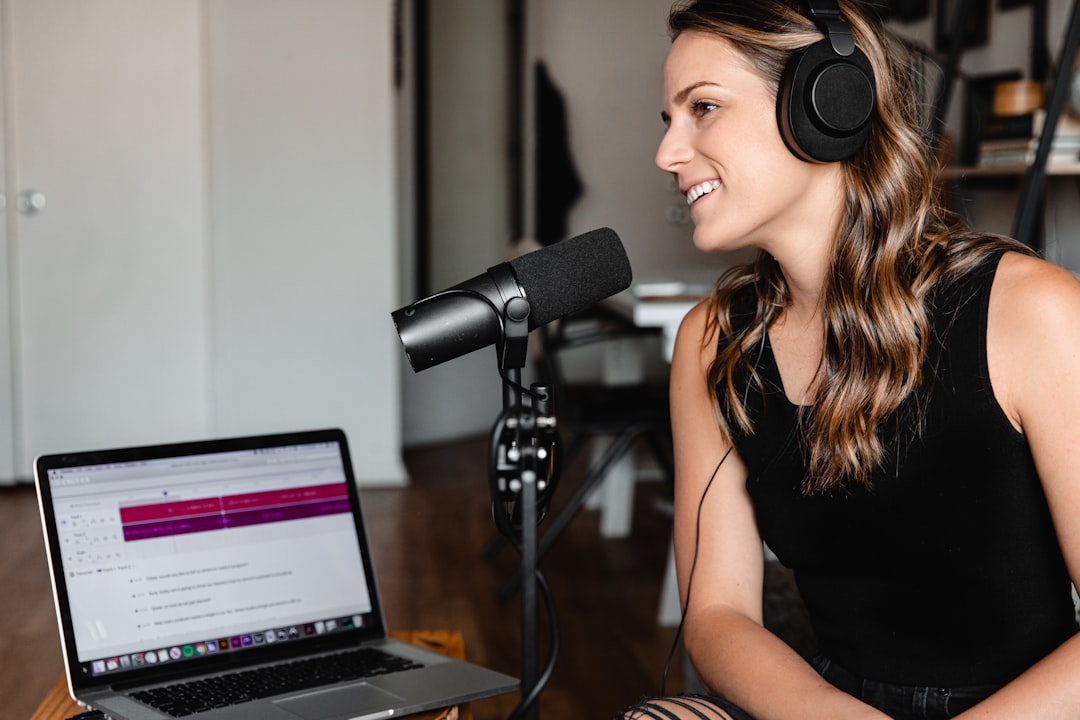
Good video does not need to be fancy. It needs to be clean.
- Place the camera at eye level.
- Use soft light from the front.
- Avoid windows behind the speaker.
- Use a real microphone if possible.
- Keep backgrounds tidy.
- Use branded title slides and speaker cards.
Audio matters most. People will forgive average video. They will not forgive crackly sound for long. If budget is tight, buy better microphones before better cameras.
Step 8: Keep the Audience Awake
Your audience is at home. Snacks are nearby. Email is open. The dog has opinions. You must earn attention every few minutes.
Use simple engagement tools:
- Live polls.
- Chat prompts.
- Short Q&A breaks.
- Giveaways.
- Emoji reactions.
- Breakout rooms for smaller talks.
Ask easy questions first. “Where are you joining from?” works because everyone can answer it. Then move to better questions once people are warmed up.
Keep presentations short. A solid rhythm is 8 to 12 minutes of content, then one interaction. It feels lighter. It also gives the host chances to reset the energy.
Step 9: Manage the Live Event Calmly
On event day, open the backstage room early. Give speakers a private check-in space. Keep the public event closed until everything is ready.
Use a team chat for crew messages. Keep it separate from attendee chat. Short messages work best:
- “Speaker two ready.”
- “Launch poll now.”
- “Audio issue fixed.”
- “Host stretch for two minutes.”
Have backup content ready. This could be a sponsor slide, short video, audience poll, or bonus question. Dead air feels long. Even 20 seconds can feel like a small winter.
Step 10: Follow Up Fast
The event is not over when the stream ends. The follow-up is where results grow.
- Send the recording within 24 hours.
- Share slides if allowed.
- Thank speakers and sponsors.
- Answer missed questions.
- Send surveys.
- Pass warm leads to sales.
- Review analytics with the team.
Track useful numbers. Watch registration, attendance rate, average watch time, chat activity, poll answers, replay views, and clicks. If 1,000 people registered and 620 attended, your attendance rate is 62%. If only 90 stayed until the end, the event may have been too long or too slow.
Common Mistakes to Avoid
- No rehearsal: This invites chaos.
- Too many speakers: The event starts to feel crowded.
- Weak audio: Viewers leave fast.
- No moderator: Chat becomes messy.
- Long slide decks: Energy drops.
- No backup plan: One tech issue can sink the show.
Your Simple Virtual Event Checklist
- Set one clear goal.
- Pick the right format.
- Choose tools early.
- Build the production team.
- Create a run of show.
- Rehearse with all speakers.
- Test audio, video, and streaming.
- Prepare audience engagement.
- Assign live support.
- Send fast follow-up.
Professional virtual event production is not magic. It is planning, practice, and calm people with good checklists. Keep the format simple. Respect the audience’s time. Fix problems before showtime. Then your event can feel polished, useful, and maybe even fun.