



Choosing the right business management software is no longer a purely technical decision. For many organizations, it determines how efficiently teams collaborate, how accurately leaders forecast performance, and how quickly the company can adapt to market changes. A structured evaluation of software types, benefits, features, and real-world examples helps reduce risk and supports better long-term decisions.
TLDR: Business management software helps companies centralize operations such as finance, sales, inventory, projects, human resources, and customer relationships. For example, a 40-person distribution company using integrated ERP and CRM tools may reduce duplicate data entry by 30% and improve order processing times by 20%. The best solution depends on company size, industry, budget, and whether the business needs specialized tools or an all-in-one platform. Decision-makers should prioritize scalability, reporting, integrations, data security, and ease of adoption.
What Is Business Management Software?
Business management software refers to digital systems that help organizations plan, execute, monitor, and improve daily operations. Instead of relying on disconnected spreadsheets, email chains, and manual approvals, companies use software platforms to manage workflows and data in a consistent way.
These systems can be narrow in scope, such as accounting or payroll tools, or broad, such as enterprise resource planning platforms that connect multiple departments. The main objective is to create a reliable operational framework where information is accurate, accessible, and useful for decision-making.

Main Types of Business Management Software
There is no single category that fits every company. Most organizations use a combination of tools, while larger firms may invest in integrated suites. The most common types include:
- Enterprise Resource Planning software: ERP systems connect core business areas such as finance, procurement, inventory, manufacturing, and reporting. Examples include SAP Business One, Oracle NetSuite, Microsoft Dynamics 365, and Odoo.
- Customer Relationship Management software: CRM platforms help manage leads, sales pipelines, customer interactions, and service history. Common examples include Salesforce, HubSpot CRM, and Zoho CRM.
- Accounting and finance software: These tools handle invoicing, expenses, bookkeeping, payroll, tax preparation, and financial reporting. Examples include QuickBooks, Xero, and FreshBooks.
- Project management software: Project platforms support task assignment, scheduling, workload tracking, collaboration, and deadline management. Examples include Asana, Monday.com, Trello, and ClickUp.
- Human resources management software: HR systems help with recruitment, employee records, onboarding, performance reviews, time tracking, and benefits administration. Examples include BambooHR, Gusto, and Rippling.
- Inventory and supply chain software: These platforms track stock levels, suppliers, purchase orders, warehousing, and logistics. They are especially important for retail, manufacturing, and distribution businesses.
- Business intelligence software: BI tools transform raw data into dashboards, forecasts, and reports. Examples include Power BI, Tableau, and Looker Studio.
Key Benefits for Businesses
The value of business management software is not limited to administrative convenience. When properly implemented, it can improve the quality and speed of business execution.
- Improved efficiency: Automation reduces repetitive tasks such as invoice generation, approval routing, stock updates, and report preparation.
- Better data accuracy: Centralized systems reduce the risk of duplicate records, manual entry errors, and outdated information.
- Stronger decision-making: Real-time reporting allows managers to identify trends, track performance, and respond earlier to operational issues.
- Enhanced collaboration: Teams gain access to shared task lists, project timelines, customer records, and internal communications.
- Scalability: A well-chosen platform can support higher transaction volumes, more users, additional locations, and expanded product lines.
- Compliance and control: Role-based access, audit trails, approval workflows, and secure records help businesses meet internal and regulatory requirements.
For example, a professional services firm may use project management and accounting software together to compare billable hours against project budgets. This gives leadership a clearer understanding of profitability before a project is complete, not weeks after invoices are issued.
Essential Features to Look For
Software selection should begin with business requirements, not brand recognition. A platform that works well for a retail chain may not be suitable for a consulting company or a manufacturer. The following features are often important across industries:
- Centralized dashboard: A clear dashboard should display key performance indicators, pending tasks, financial metrics, and operational alerts.
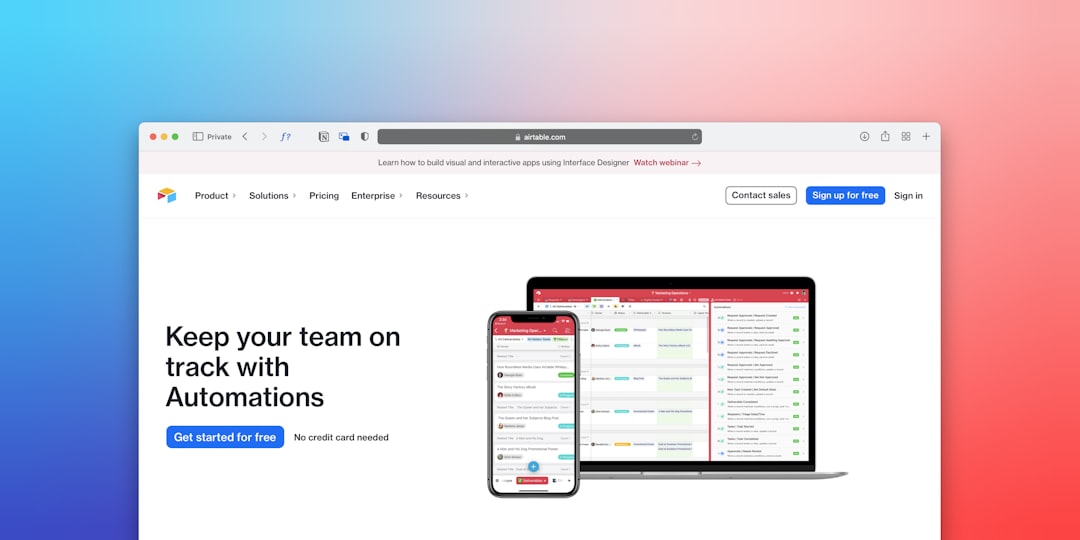
- Automation tools: Look for automated approvals, recurring invoices, reminders, stock alerts, email sequences, and workflow triggers.
- Reporting and analytics: Strong reporting features help leaders analyze sales, expenses, productivity, cash flow, customer behavior, and forecasted demand.
- Integration capabilities: The software should connect with existing systems such as payment processors, ecommerce platforms, email tools, payroll systems, and data warehouses.
- User permissions: Role-based access ensures employees only see and modify information relevant to their responsibilities.
- Mobile access: Managers, sales teams, and field staff often need secure access from smartphones or tablets.
- Customization: Custom fields, workflows, templates, and reports allow the system to reflect actual business processes.
- Security and backup: Data encryption, multi-factor authentication, regular backups, and vendor security certifications should be carefully reviewed.
Examples by Business Size
Small businesses often need affordability, fast setup, and ease of use. A company with fewer than 20 employees may combine QuickBooks for accounting, HubSpot CRM for sales tracking, and Trello for task management. This approach can be practical when operations are still relatively simple.
Growing mid-sized companies usually need stronger integration. A wholesaler with multiple warehouses may outgrow spreadsheets and basic accounting tools. In that situation, platforms such as Odoo, Zoho One, or Microsoft Dynamics 365 Business Central may provide better control over inventory, purchasing, finance, and customer records.
Larger organizations often require enterprise-grade ERP, advanced analytics, compliance controls, and tailored implementation. Solutions such as SAP, Oracle NetSuite, and Microsoft Dynamics 365 are commonly considered when companies operate across multiple entities, currencies, or countries.
How to Choose the Right Platform
A disciplined selection process reduces costly mistakes. Before speaking with vendors, businesses should document current pain points, required features, user roles, reporting needs, budget limits, and implementation timelines.
- Map current processes: Identify how work is currently done and where delays, errors, or duplicate tasks occur.
- Define must-have requirements: Separate essential functionality from features that are merely convenient.
- Evaluate total cost: Consider subscription fees, implementation, training, integrations, data migration, support, and future upgrades.
- Request demonstrations: Ask vendors to demonstrate real scenarios using workflows similar to your business operations.
- Check references: Speak with companies in similar industries or of similar size to understand practical strengths and limitations.
- Plan change management: Training, internal communication, and executive support are critical to adoption.

Common Mistakes to Avoid
One of the most common mistakes is buying software before clarifying processes. If a company has inconsistent procedures, new software may simply make those inconsistencies more visible. Another risk is choosing a system based only on price. Low initial cost can become expensive if the platform lacks essential integrations or requires extensive manual work.
Businesses should also avoid underestimating implementation effort. Data cleanup, user training, workflow configuration, and testing take time. A phased rollout is often safer than attempting to change every department at once.
Final Thoughts
Business management software can improve operational discipline, transparency, and growth capacity when selected carefully. The best platform is not necessarily the most complex or the most expensive; it is the one that fits the organization’s processes, maturity, compliance needs, and future plans. By evaluating software types, benefits, features, and examples with a clear business case, leaders can make a more confident and sustainable technology investment.