


Video content is everywhere. On social media. On websites. In emails. If you are a content creator, you need great videos. The good news? You do not need a big studio or a Hollywood budget. Today’s video makers are powerful, simple, and often free. Let’s explore the best ones every creator should know.
TLDR: There are amazing video makers for every skill level and budget. Tools like Canva, CapCut, Adobe Premiere Pro, Final Cut Pro, DaVinci Resolve, and InVideo make video creation easier than ever. Some are beginner-friendly. Others are built for pros. Choose the one that matches your goals, skills, and workflow.
Why Video Makers Matter
Video builds trust. It grabs attention. It explains ideas fast.
But raw footage is not enough. You need editing. You need music. You need text. You need effects. That is where video makers come in.
Good software helps you:
- Cut and trim clips easily
- Add music and sound effects
- Insert captions and titles
- Apply filters and color grading
- Export in high quality
Let’s break down the top tools. From simple drag-and-drop platforms to professional editing suites.
1. Canva Video
Canva is not just for graphics anymore. It is now a powerful video maker.
It is perfect for beginners. The interface is clean. Everything is drag and drop.
Best for: Social media content, short promos, YouTube intros.
Why creators love it:
- Huge template library
- Stock videos and music included
- Simple timeline editor
- Cloud-based access
You can create Instagram Reels. TikTok videos. Business promos. Even presentations.
It may not replace professional editing software. But it is fast. And speed matters.
2. CapCut
CapCut exploded in popularity thanks to TikTok.
It is free. It is powerful. And it works on mobile and desktop.
Best for: Short-form vertical videos.
Top features:
- Auto captions
- AI background removal
- Trending transitions
- Beat syncing
If you create Reels, Shorts, or TikToks, CapCut is a must-try.
It makes editing fun. You can add effects with one click. You can create viral-style edits in minutes.
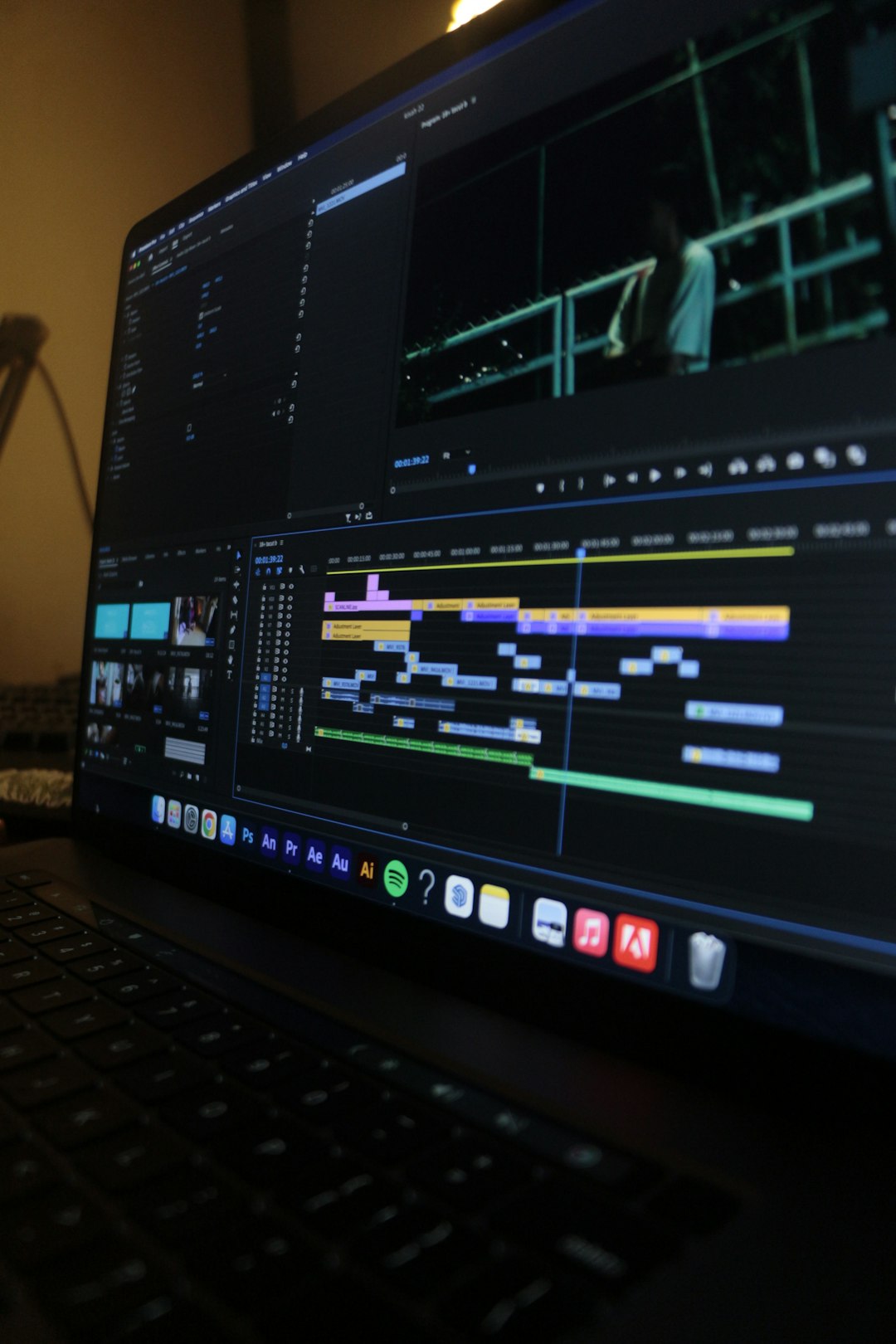
3. Adobe Premiere Pro
Now we enter pro territory.
Adobe Premiere Pro is an industry standard. Movies. Documentaries. YouTube channels. It handles them all.
Best for: Professional creators and serious YouTubers.
Why it stands out:
- Advanced timeline editing
- Color grading tools
- Audio mixing options
- Seamless integration with After Effects
It takes time to learn. But once you do, the control is unmatched.
It is subscription-based. So keep that in mind.
4. Final Cut Pro
If you use a Mac, Final Cut Pro is a powerful choice.
It is fast. Very fast.
Best for: Mac users who want pro-level editing without Adobe.
Why creators choose it:
- Magnetic timeline
- Optimized for Apple hardware
- One-time payment
- High performance rendering
It feels smooth and responsive. Many YouTubers swear by it.
5. DaVinci Resolve
This one surprises many people.
DaVinci Resolve has a free version that is incredibly powerful.
Best for: Creators who want professional tools without paying monthly.
Standout features:
- Hollywood-level color grading
- Advanced visual effects
- Audio post-production tools
- Free full-featured version
The interface can feel complex at first. But it is worth learning.
6. InVideo
InVideo is made for speed and automation.
You can turn blog posts into videos. In minutes.
Best for: Marketers and repurposing content.
Why marketers love it:
- Text-to-video tools
- Pre-built templates
- Stock library access
- Easy branding options
This is ideal if you run a business and need lots of content quickly.
Quick Comparison Chart
| Tool | Best For | Skill Level | Price Model | Platform |
|---|---|---|---|---|
| Canva Video | Social media graphics and short videos | Beginner | Free + Paid plan | Web-based |
| CapCut | Short-form content | Beginner to Intermediate | Free | Mobile + Desktop |
| Adobe Premiere Pro | Professional editing | Advanced | Subscription | Windows + Mac |
| Final Cut Pro | Mac-based pro editing | Intermediate to Advanced | One-time purchase | Mac only |
| DaVinci Resolve | Advanced free editing | Intermediate to Advanced | Free + Paid version | Windows + Mac |
| InVideo | Automated marketing videos | Beginner | Free + Paid plan | Web-based |
How to Choose the Right One
Do not pick a tool just because others use it.
Ask yourself:
- What type of content do I make?
- Long-form or short-form?
- Do I need advanced editing?
- What is my budget?
- Am I willing to learn complex software?
If you are just starting, keep it simple.
If video is your main business, invest in pro tools.
Pro Tips for Better Videos
The software matters. But your approach matters more.
Here are simple tips that improve any video:
- Hook viewers in the first 3 seconds.
- Keep cuts tight. Remove pauses.
- Use captions. Many watch without sound.
- Add background music. Keep it subtle.
- Stick to one style. Build brand consistency.
Even basic edits can look professional if your storytelling is strong.
Free vs Paid: What Should You Do?
Start free.
Most creators do not need expensive tools in the beginning.
Free tools today are powerful. Very powerful.
Upgrade when:
- You hit technical limits
- You need advanced effects
- You edit daily
- Time savings matter more
Remember. The best tool is the one you actually use.
The Future of Video Makers
AI is changing everything.
Now we have:
- Auto-generated captions
- Script-to-video tools
- AI voiceovers
- Automatic color correction
- Smart background removal
This means faster production. Lower costs. More creativity.
In the next few years, video creation will become even easier. But storytelling will still be king.
Final Thoughts
You do not need a film degree.
You do not need expensive cameras.
You just need the right video maker. And the courage to create.
Start simple. Experiment often. Improve a little every week.
Whether you choose Canva for quick posts. CapCut for viral clips. Or Premiere Pro for cinematic edits.
The most important step is this:
Press record.
Your audience is waiting.