


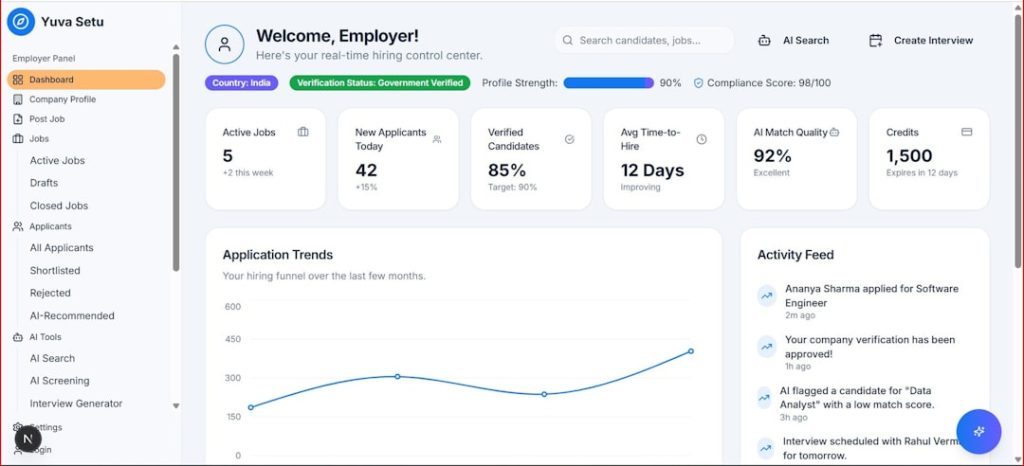
As organizations generate increasing volumes of digital files, emails, contracts, reports, and knowledge base articles, the need for intelligent document search and seamless team collaboration has never been greater. Modern AI tools are transforming how teams find information, share knowledge, and work together across departments and time zones. From semantic search to automated summaries and smart tagging, artificial intelligence now powers the next generation of productivity platforms.
TLDR: AI-powered document search and collaboration tools help teams find information faster, automate routine tasks, and improve knowledge sharing. Leading platforms use semantic search, natural language processing, and smart recommendations to deliver precise results. The top tools combine intelligent search, real-time collaboration, and workflow automation in one environment. Businesses adopting these solutions benefit from increased efficiency, fewer duplicated efforts, and stronger team alignment.
Below is a carefully curated list of top AI tools that stand out for their innovation, usability, and impact on team productivity.
1. Glean
Glean is an enterprise AI search platform designed to connect all company knowledge in one unified search interface. It integrates with popular tools like Google Workspace, Slack, Jira, and Microsoft 365.
- Key Feature: Personalized AI search results based on roles and permissions
- Strength: Deep enterprise integrations
- Best For: Mid-size to large organizations
Glean uses natural language understanding to interpret search intent. Instead of relying solely on keywords, it analyzes context, user behavior, and document relationships to provide precise answers. Employees can ask full questions and receive curated responses instead of sifting through endless file lists.

2. Microsoft Copilot (Microsoft 365)
Microsoft Copilot enhances Word, Excel, Outlook, Teams, and SharePoint with AI-powered capabilities. It leverages large language models embedded within the Microsoft ecosystem.
- Key Feature: AI-generated summaries and contextual search across documents
- Strength: Deep integration with Microsoft tools
- Best For: Organizations already using Microsoft 365
Copilot allows employees to summarize meeting notes, draft documents, extract insights from spreadsheets, and search files using plain language. Because it operates inside a secure tenant environment, it respects organization-specific permissions, ensuring sensitive data remains protected.
3. Notion AI
Notion AI blends document collaboration with AI-powered writing and knowledge discovery features. It is widely used by startups, marketing teams, and product managers.
- Key Feature: AI-assisted writing and content organization
- Strength: Flexible workspace design
- Best For: Remote teams and creative teams
With Notion AI, users can summarize long documents, generate project briefs, extract action items from meeting notes, and find information across company wikis. Its collaborative editing features allow teams to co-author documents in real time while the AI streamlines content management.
4. Guru
Guru focuses on AI-powered knowledge management. It acts as a centralized company knowledge base enriched by intelligent suggestions and verification workflows.
- Key Feature: Real-time knowledge suggestions within workflow apps
- Strength: Verified information tracking
- Best For: Customer support and sales teams
Guru’s AI surfaces relevant knowledge cards inside tools like Slack and browser applications. By delivering contextual answers directly within workflows, teams avoid switching between apps to search for information.
5. Elastic Enterprise Search
Elastic Enterprise Search delivers advanced search capabilities powered by machine learning and semantic indexing.
- Key Feature: Scalable AI-driven search infrastructure
- Strength: Customizable and developer-friendly
- Best For: Large enterprises with technical teams
Elastic excels at indexing vast amounts of structured and unstructured data. Its machine learning algorithms enhance query understanding, while advanced filters allow organizations to refine results for specific departments or projects.
6. Slite
Slite is a collaborative documentation platform built to simplify team knowledge sharing.
- Key Feature: AI-powered summaries and smart search
- Strength: Clean interface and strong team collaboration tools
- Best For: Remote-first companies
Its AI helps summarize lengthy documents, suggest edits, and improve clarity. Teams can easily organize documentation by channels and topics, making information retrieval intuitive.
7. Confluence with Atlassian Intelligence
Confluence has long been a collaborative documentation tool, and with Atlassian Intelligence, it now includes AI capabilities that enhance search and content generation.
- Key Feature: AI-driven page summaries and intelligent search
- Strength: Seamless integration with Jira
- Best For: Product and engineering teams
Users can generate content drafts, receive automated summaries, and quickly locate relevant documentation across large project repositories.
8. Dropbox Dash
Dropbox Dash focuses on universal search across apps, cloud storage, emails, and documents.
- Key Feature: Cross-platform AI search
- Strength: Unified search across multiple services
- Best For: Teams using diverse software stacks
Dash provides a centralized interface that consolidates search results from connected applications. It reduces time spent switching between platforms to locate files or verify information.
9. Zoom AI Companion
Zoom AI Companion enhances collaboration by analyzing meeting transcripts and conversations.
- Key Feature: Meeting summaries and action item extraction
- Strength: Real-time conversation insights
- Best For: Distributed teams
The AI generates summaries and highlights key decisions, making follow-ups more efficient. These summaries become searchable resources for future reference.
10. ChatGPT Enterprise
ChatGPT Enterprise offers AI-driven knowledge search, document analysis, and collaborative content generation.
- Key Feature: Natural language document querying
- Strength: Advanced reasoning and summarization
- Best For: Knowledge-intensive industries
Teams can upload documents, analyze reports, extract insights, and generate structured summaries. The AI can interpret context and respond conversationally, reducing the time required to digest large datasets.

Core Features to Look for in AI Document and Collaboration Tools
When selecting the right AI platform, organizations should evaluate the following criteria:
- Semantic Search: Ability to understand context and intent, not just keywords
- Permission Awareness: Secure access based on user roles
- Integration Depth: Compatibility with existing tools
- Automated Summarization: Quick understanding of long documents
- Collaboration Tools: Real-time editing and feedback features
- Analytics and Insights: Search usage tracking and performance metrics
Organizations that prioritize these features can significantly improve cross-team visibility and knowledge flow.
Benefits of Using AI for Document Search and Team Collaboration
1. Time Savings: Intelligent search dramatically reduces hours spent hunting for files.
2. Improved Knowledge Retention: Institutional knowledge becomes searchable and preserved.
3. Enhanced Decision-Making: Instant summaries allow faster strategic execution.
4. Reduced Silos: AI connects content across departments and applications.
5. Productivity Gains: Automated workflows minimize repetitive tasks.
As hybrid and remote work models expand, AI-powered collaboration tools have become critical infrastructure rather than optional enhancements.
Frequently Asked Questions (FAQ)
1. What makes AI document search different from traditional search?
Traditional search relies primarily on keyword matching. AI document search uses natural language processing, semantic understanding, and machine learning to interpret user intent and deliver contextually relevant results.
2. Are AI collaboration tools secure?
Most enterprise-grade tools include strong encryption, role-based access controls, and compliance certifications. Organizations should verify each platform’s security standards before deployment.
3. Can small businesses benefit from AI document tools?
Yes. Many AI collaboration platforms offer scalable pricing and simple integrations, making them suitable for startups and small teams seeking productivity gains.
4. Do AI tools replace human knowledge management?
No. AI enhances knowledge management by organizing, surfacing, and summarizing content. Human oversight is still necessary for verification, context, and strategic insight.
5. How long does implementation usually take?
Implementation timelines vary depending on organizational size and integration complexity. Some cloud-based tools can be deployed within days, while enterprise-scale systems may require weeks or months.
6. What industries benefit most from AI document search?
Industries with high documentation volumes—such as legal, healthcare, finance, technology, and consulting—benefit significantly. However, nearly every sector can gain efficiency from intelligent search and collaboration.
AI tools for document search and team collaboration are reshaping how modern organizations operate. By combining semantic intelligence, workflow automation, and real-time teamwork, these platforms empower employees to work smarter and faster. As artificial intelligence continues to evolve, companies that adopt these technologies early will likely gain a substantial competitive edge in productivity, innovation, and operational efficiency.