



A procedural document is a formal guide that explains how to complete a task, process, or operation in a consistent and reliable way. It may describe anything from onboarding a new employee to handling customer complaints, operating machinery, approving invoices, or responding to a security incident. A well-written procedure reduces errors, protects institutional knowledge, supports training, and helps organizations maintain quality and compliance.
TLDR: A strong procedural document explains who must do what, when, and how, using clear steps and practical details. Start by defining the purpose, audience, scope, and responsibilities before writing the procedure itself. Use plain language, numbered instructions, warnings, and review controls to keep the document accurate and usable. Test the procedure with real users before publishing it.
Understand the Purpose of the Procedure
Before writing, determine why the document is needed. A procedure should solve a specific operational problem or create a repeatable standard for a recurring activity. If the purpose is vague, the final document will likely be confusing, too broad, or difficult to follow.
Ask the following questions:
- What task or process must be completed?
- Why does the task require written instructions?
- What risks exist if the task is performed incorrectly?
- Who will use the document?
- What result should the user achieve?
For example, a procedure for “processing supplier invoices” should not include every detail about supplier management, budgeting, and procurement strategy. It should focus on the specific sequence of actions required to receive, verify, approve, and record invoices.
Identify the Audience
A procedural document must be written for the people who will actually use it. A procedure for experienced engineers can use more technical terminology than one written for new hires. However, even expert audiences benefit from clear structure and concise language.
Consider the reader’s level of knowledge, access to systems, legal responsibilities, and working conditions. If the user will follow the procedure during a stressful event, such as an emergency response, the instructions must be especially direct and easy to scan. If the user is new to the process, include definitions, examples, and references to related documents.
The goal is not to impress the reader with expertise; the goal is to help the reader complete the task correctly.

Define the Scope and Boundaries
Every procedure needs a clear scope. The scope tells readers what the document covers and, just as importantly, what it does not cover. Without boundaries, procedures can become overloaded with background information, exceptions, and unrelated instructions.
A useful scope statement may include:
- The process or task covered by the procedure
- The departments, roles, systems, or locations involved
- The starting point and ending point of the process
- Important exclusions or limitations
For instance: “This procedure applies to the monthly review of active vendor accounts in the finance system. It begins when the vendor activity report is generated and ends when inactive accounts are approved for deactivation.” This statement gives the reader a practical frame of reference.
List Roles and Responsibilities
Procedures often fail because they describe actions without clarifying ownership. Avoid vague phrases such as “the team should review the file” unless the team’s role is already formally defined. Instead, identify the person, position, or department responsible for each major action.
A concise responsibility section might identify:
- Process owner: Maintains the procedure and approves changes.
- Operator or user: Performs the task according to the documented steps.
- Reviewer: Checks the output for accuracy or compliance.
- Approver: Authorizes completion, escalation, or release.
This section is especially important in regulated environments, safety-sensitive operations, and processes involving financial, legal, or customer data.
Gather Accurate Process Information
Do not write a procedural document from memory alone. Interview subject matter experts, observe the task being performed, review existing policies, and collect screenshots, forms, checklists, or system references. If there are known exceptions or frequent errors, document them during this stage.
It is also useful to distinguish between the official process and the actual process. In many organizations, employees develop informal workarounds because existing documentation is outdated or incomplete. A trustworthy procedure must reflect approved practice, but it should also account for real operating conditions.
Use a Clear and Consistent Structure
A procedural document should be predictable. Readers should not have to search for basic information or interpret inconsistent formatting. While formats vary by organization, most procedures include the following sections:
- Purpose: Explains why the procedure exists.
- Scope: Defines what is included and excluded.
- Roles and responsibilities: Identifies who does what.
- Prerequisites: Lists required tools, permissions, documents, or conditions.
- Procedure steps: Provides numbered instructions.
- Exceptions or escalations: Explains what to do when the normal process cannot be followed.
- Records and evidence: States what must be saved or documented.
- Review and revision history: Tracks ownership and updates.
This structure supports both usability and accountability. It also makes the document easier to audit, maintain, and improve.

Write Steps in the Correct Sequence
The heart of any procedural document is the step-by-step instruction section. Use numbered lists for actions that must happen in order. Each step should describe one clear action. Begin steps with strong verbs such as open, verify, record, submit, notify, or approve.
For example, instead of writing, “The report should be checked and sent to management,” write: “Review the report for missing data. If the report is complete, send it to the Finance Manager by 3:00 p.m. on the last business day of the month.”
Good procedural steps are specific. They answer practical questions such as where to click, what information to enter, what standard to apply, how long to wait, and what to do if something is missing. Avoid assumptions. If a step depends on a condition, state the condition clearly.
Use Plain, Precise Language
Serious documentation does not need complicated language. In fact, complexity often reduces reliability. Use plain words, short sentences, and active voice. Avoid unnecessary jargon unless it is standard terminology for the intended audience.
Compare the following examples:
- Unclear: “Appropriate action should be taken in the event of a discrepancy.”
- Clear: “If the invoice amount does not match the purchase order, place the invoice on hold and notify Accounts Payable.”
The second version is better because it identifies the condition, the action, and the responsible party. Precision is more valuable than formality.
Include Warnings, Notes, and Decision Points
Some procedures involve risks, exceptions, or choices. Use warnings and notes carefully to draw attention to important information without overwhelming the reader. A warning should identify a serious consequence, such as injury, data loss, financial error, or compliance breach. A note should clarify useful information that does not belong in the main step.
Decision points should be written in a way that prevents ambiguity. For example: “If the customer has not responded within five business days, close the support ticket as unresolved and record the closure reason.” This is stronger than “Close the ticket if enough time has passed.”
Support the Procedure with Visuals Where Appropriate
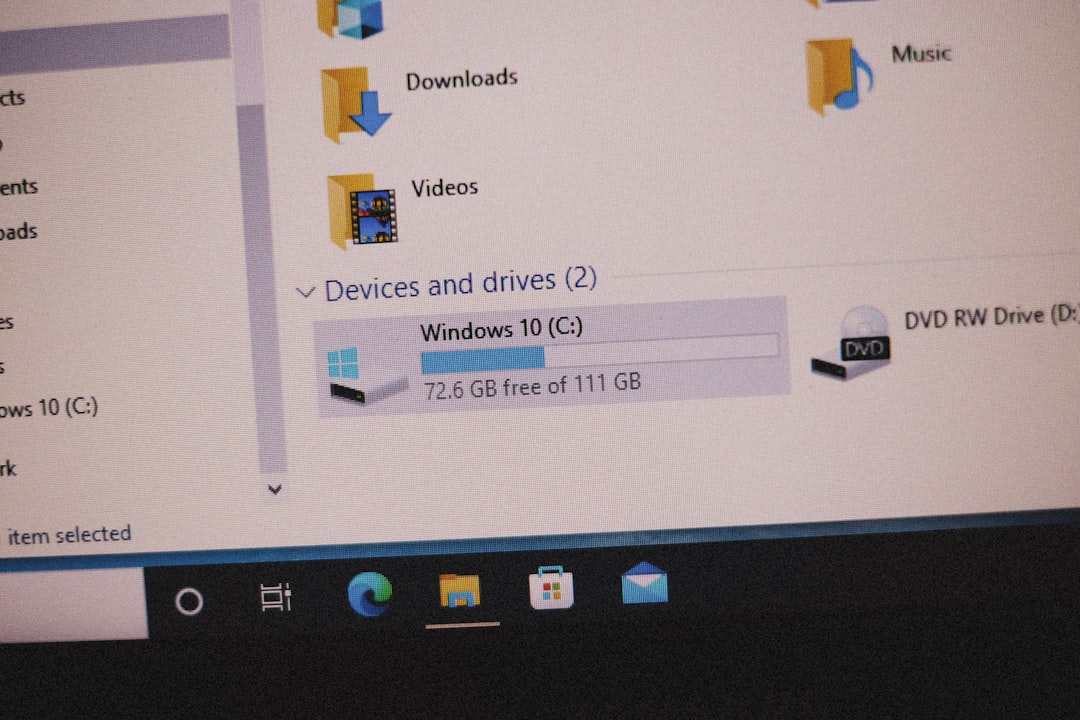
Visual aids can improve comprehension, especially when the task involves software screens, equipment controls, forms, or decision pathways. Use screenshots, diagrams, tables, and flowcharts only when they make the procedure easier to perform. Every visual should have a purpose and should be kept current when systems or forms change.
Test the Procedure Before Publishing
A procedure should be validated before it becomes official. Ask someone from the intended audience to follow the document without additional coaching. Observe where they hesitate, ask questions, or make errors. These points reveal gaps in the instructions.
Testing should confirm that the procedure is complete, accurate, understandable, and practical. If the process requires approvals, system permissions, or special tools, verify that those requirements are available to the user. Update the document based on the test results, then obtain approval from the appropriate owner.
Maintain Version Control and Review Cycles
Procedural documents lose value when they become outdated. Include a document owner, effective date, version number, approval record, and revision history. Establish a review cycle, such as annually or whenever a related system, law, policy, or process changes.
Version control is not merely administrative. It helps users know whether they are following the current procedure and helps managers trace what instructions were in effect at a specific time. This can be critical during audits, investigations, or quality reviews.
Final Considerations
Writing a procedural document is an exercise in clarity, discipline, and accountability. The document should be detailed enough to guide correct performance, but not so dense that users avoid it. Focus on the reader’s task, remove unnecessary information, and make every instruction verifiable.
A strong procedure protects both the organization and the people performing the work. When it is accurate, tested, and maintained, it becomes more than a document; it becomes a dependable standard for consistent action.