


You open the Riot Client, enter your details, and then League of Legends shows “Unexpected error with login session.” The game won’t load. You can’t access ranked matches, your friends list, or the lobby. It feels serious, but most of the time it’s not. This error usually connects to authentication issues between your PC and Riot Games servers.
In this guide, you’ll learn what this login session error means and how to fix it with six practical solutions.
What Does “Unexpected Error With Login Session” Mean?
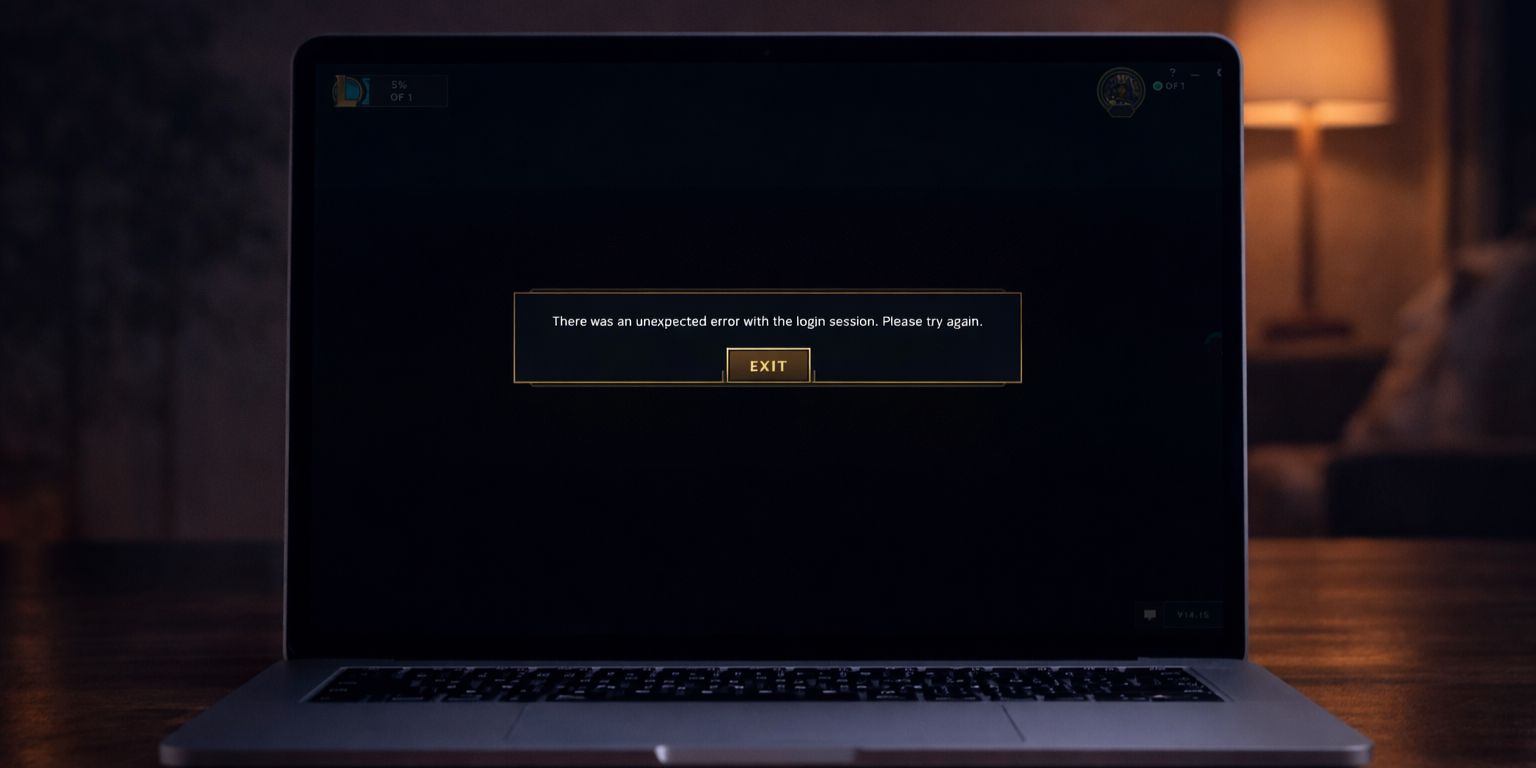
When you log into League of Legends, the Riot Client creates a temporary login session token. This token allows your account to stay authenticated while you access the game. If that token expires, becomes corrupted, or fails to sync with the Riot authentication server, the client blocks access. The message appears even though your username and password are correct.
In most cases, your account is not banned and your progress is safe. The issue usually relates to connection instability, session expiration, or client-side conflicts in Windows 10 or Windows 11.
You typically see this error on the Riot Client login screen, right after a patch update, or when launching the game from the client.
Common Causes of LoL Login Session Error
This issue usually appears because the Riot Client cannot verify your account session properly. Below are the most common reasons.
- Expired or invalid login session token
- Riot Games server maintenance or outage
- Corrupted League of Legends client cache files
- Unstable internet connection or packet loss
- Firewall or antivirus blocking Riot Client
- VPN or DNS configuration conflict
Each of these interrupts communication between your PC and Riot’s authentication server.
How to Fix LoL Unexpected Error With Login Session?
Most fixes involve refreshing the Riot Client, clearing corrupted files, or resetting your network connection. Start with the simplest solution first.
Fix #1: Restart Riot Client Completely
Sometimes the client remains active in the background and keeps an invalid session.
Follow the steps below to fully restart the Riot Client.
- Press Ctrl + Shift + Esc to open Task Manager.
- Find Riot Client and League of Legends processes.
- Select each one and click End Task.
- Close Task Manager.
- Reopen Riot Client and log in again.
This refreshes your login session and often resolves the error instantly.
Fix #2: Check Riot Games Server Status
If Riot authentication servers are down, no local fix will work.
You can perform the following steps to confirm server status.
- Visit the official Riot Games server status page.
- Check for maintenance announcements.
- Look at Riot Support social media updates.
- Wait until service is restored if servers are down.
Server outages usually resolve within a few hours.
Fix #3: Log Out and Log Back In
If you are partially logged in, the session token may be corrupted.
Try these simple steps to refresh your login.
- Open Riot Client.
- Click your profile icon.
- Select Log Out.
- Close the client.
- Reopen and log in again.
A fresh login creates a new authentication session.
Fix #4: Clear League of Legends Cache Files
Corrupted cache files inside the League of Legends folder can prevent proper authentication.
The following steps will show you how to clear cache safely.
- Close Riot Client completely.
- Navigate to the League of Legends installation folder.
- Open the Config and Logs folders.
- Delete temporary files inside those folders.
- Restart your computer.
After clearing cache data, launch the game again.
Fix #5: Disable VPN and Check Firewall
VPN services can change your IP address and interfere with Riot’s authentication system. Similarly, Windows Firewall or antivirus software may block network requests from the Riot Client. Temporarily disable your VPN. Check your firewall settings and allow Riot Client through the network. Then restart the client and attempt login again. If it works, the issue likely relates to connection routing or security restrictions.
Fix #6: Flush DNS and Reset Network Settings
Incorrect DNS configuration or corrupted network cache can block proper server communication.
Follow these easy instructions to reset your network.
- Open Command Prompt as administrator.
- Type
ipconfig /flushdnsand press Enter. - Type
ipconfig /releaseand press Enter. - Type
ipconfig /renewand press Enter. - Restart your computer.
This refreshes your IP address and clears stored DNS records.
Prevention Tips to Avoid Login Session Errors
A stable connection and proper shutdown habits reduce login session issues. Keep the Riot Client updated. Avoid shutting down your PC during game patches. Monitor server announcements before major updates. Regular system restarts help clear temporary authentication conflicts.
- Keep Riot Client and League of Legends updated
- Avoid forced shutdown during patch installation
- Use stable Wi-Fi or wired Ethernet connection
- Restart your PC weekly
- Avoid frequent VPN switching
- Allow Riot Client through firewall settings
- Check Riot server status during update days
Conclusion
In short, the “Unexpected error with login session” message appears when the Riot Client cannot verify your authentication session properly. The most common causes include expired session tokens, server outages, corrupted cache files, or network conflicts. The good news is that most users fix it within minutes by restarting the client or resetting network settings.
Try each fix one at a time. Test login after every step. If the issue continues, contact Riot Games Support through their official website for further help. If one of these solutions worked for you, share it with others so they can get back into the Rift faster.