


Pick an ecommerce platform for a multi-vendor marketplace by starting with seller operations, not storefront design. The hardest parts are vendor onboarding, commission rules, split payments, disputes, inventory sync, tax handling, and support workflows. Marketplaces are not a small corner of ecommerce either; online marketplaces accounted for about 60% of global online retail sales in 2023 [source: Digital Commerce 360]. That means your platform choice can decide whether your marketplace grows smoothly or turns into a daily admin headache.
TLDR: Choose a platform that can support multiple sellers, automated payouts, flexible commissions, strong search, mobile shopping, and clean admin controls. For example, a handmade goods marketplace with 120 vendors may lose hours each week if payout reports must be exported and edited by hand. If automation saves just 10 minutes per vendor per month, that is 20 admin hours saved monthly. Start with the workflows that make money move correctly.
Start with your marketplace model
Before comparing platforms, define what kind of marketplace you are building. A fashion marketplace has different needs from a B2B parts marketplace. A food delivery marketplace is different again. Sounds obvious, but many teams skip this and end up paying for features they barely touch.
Write down your model in simple terms:
- Product type: physical goods, digital products, services, bookings, rentals, or subscriptions.
- Seller type: independent creators, wholesalers, local stores, brands, professionals, or agencies.
- Revenue model: commission, subscription fees, listing fees, ads, featured placements, or a mix.
- Order flow: single vendor checkout, multi-vendor cart, quote request, auction, or scheduled booking.
- Control level: open seller signup, approved vendors only, or invite-only sellers.
If you cannot describe the model in one paragraph, your platform requirements will get messy fast.
Choose between SaaS, open source, and custom builds
Most marketplace platforms fall into three broad groups. Each has tradeoffs.
SaaS platforms are hosted for you. They are faster to launch, easier to maintain, and usually include hosting, updates, and support. They are a good fit for early-stage marketplaces that want speed. The catch is that custom checkout rules, unusual payout logic, or deep workflow changes can become painful.
Open source platforms give more control. You can modify code, add custom modules, and host the store where you want. This works well if you have technical help. It can also create surprise costs. Updates break extensions. Extensions conflict. It drives me crazy that a “simple plugin fix” can turn into four hours of testing carts, tax settings, and vendor dashboards.
Custom builds offer the most freedom. They also cost the most and take longer. Choose this path only if your marketplace has unusual logic that off-the-shelf software cannot handle, or if the marketplace itself is your core technology product.
Check vendor management first
A multi-vendor platform lives or dies by seller experience. If vendors struggle, they stop uploading products. Then buyers leave because the catalog feels thin.
Look for these vendor tools:
- Simple onboarding: sellers should be able to apply, verify details, and complete profiles without support tickets.
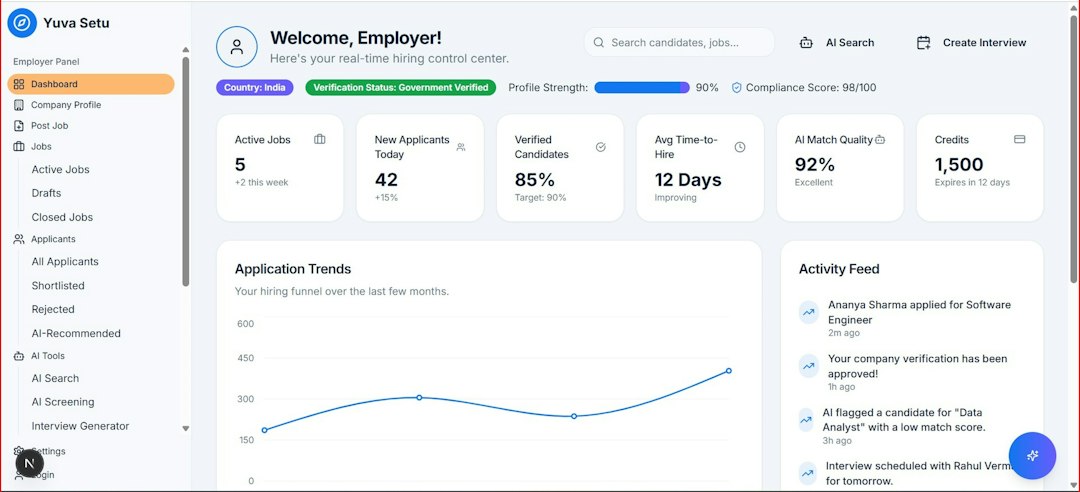
- Vendor dashboards: each seller needs orders, products, reviews, earnings, returns, and messages in one place.
- Role controls: staff accounts, permissions, and approval steps matter as sellers grow.
- Bulk uploads: CSV import, product feeds, and image tools save huge amounts of time.
- Storefront options: sellers may need branded pages, policies, logos, banners, and contact rules.
Test the seller workflow yourself. Create a vendor account. Add five products. Edit stock. Fulfill an order. Request a payout. If any step feels clumsy now, it will feel worse after 200 vendors join.
Payments and commissions need close attention
Payments are where good-looking marketplace plans often break. You need to collect from buyers, pay vendors, keep your fee, handle refunds, and record everything.
Ask these questions before signing up:
- Can the platform split payments between multiple vendors?
- Can it hold funds until delivery or approval?
- Can commissions vary by vendor, category, product, or subscription tier?
- Does it support partial refunds and vendor-specific refunds?
- Can sellers receive automatic payout reports?
- Does it work with Stripe Connect, PayPal, bank transfer, or local payment methods?
Do not accept vague answers here. “We support vendor payouts” can mean instant split payments, manual monthly exports, or something awkward in between.

Make search and catalog tools a priority
Buyers do not care how complex your admin panel is. They care whether they can find the right item quickly. Poor search hurts conversion, especially when many sellers offer similar products.
Strong catalog features include:
- Filters: price, brand, location, rating, availability, delivery time, size, color, and category.
- Search relevance: typo tolerance, synonyms, and product ranking rules.
- Product approval: admin review before listings go live.
- Duplicate control: useful when sellers upload similar or identical items.
- Attribute management: category-specific fields such as material, fit, condition, or warranty.
Expect to waste time on catalog cleanup if the platform has weak product rules. That cleanup gets boring fast, and it never really ends.
Review shipping, tax, and order routing
Shipping becomes harder when one cart contains products from several vendors. The platform should calculate shipping per seller, per warehouse, or per product group. It should also make order splitting clear to buyers.
For tax, check country and regional support. A marketplace selling across the United States, the EU, or multiple countries may need tax reports, invoices, VAT fields, seller tax IDs, and marketplace facilitator settings. If your platform cannot support your tax duties, your accounting team will not enjoy the workaround.
Demand strong admin and moderation tools
A marketplace owner needs control without doing every task by hand. Good admin controls help you prevent fraud, keep quality high, and respond quickly when something goes wrong.
Look for:
- Seller approval workflows
- Product approval queues
- Dispute and refund tools
- Review moderation
- Fraud flags
- Activity logs
- Clear sales, payout, and commission reports
Analytics matter too. You should see gross merchandise value, conversion rate, average order value, repeat purchase rate, seller performance, category growth, refund rate, and failed payment rate. Without these numbers, you are guessing.
Think about integrations early
Your platform will not run alone. It may need email marketing, CRM, accounting, tax software, shipping carriers, analytics, help desk tools, review tools, and inventory systems.
Check whether integrations are native, plugin-based, API-based, or custom. Native integrations are quicker. APIs offer more flexibility. Plugins can be useful, but too many plugins can slow the site and create maintenance problems.

Calculate the real cost
The monthly subscription is only part of the cost. Build a fuller budget before choosing.
- Platform fees: monthly plans, transaction fees, vendor fees, or usage limits.
- Payment processing: card fees, payout fees, currency conversion, and chargebacks.
- Extensions: marketplace modules, search tools, shipping apps, tax tools, and reporting add-ons.
- Development: setup, theme work, custom features, integrations, and bug fixes.
- Operations: support staff, seller onboarding, content review, fraud review, and accounting.
A cheaper platform can cost more if it adds manual work every week. A pricier one may be worth it if it removes repetitive admin tasks.
Use a short decision checklist
Before you commit, score each platform from 1 to 5 on these points:
- Vendor onboarding and seller dashboards
- Commission and payout flexibility
- Multi-vendor cart and checkout support
- Search, filters, and catalog controls
- Shipping, tax, and refund handling
- Admin moderation and reporting
- Mobile performance
- Integration options and API quality
- Security, backups, and uptime history
- Total cost after setup and growth
The best ecommerce platform is the one that matches your operating model. If you want a quick launch, choose a hosted marketplace solution with strong vendor tools. If you need deep control, consider open source or custom development. Either way, do not fall for a pretty demo alone. A marketplace is not just a store with more products. It is a system for managing sellers, money, trust, and scale.