



Choose Microsoft Defender if your company lives in Microsoft 365. Choose CrowdStrike Falcon if you want a sharp, endpoint-first security tool with strong hunting and fast response. Both are serious tools. Neither is magic.
TLDR: Microsoft Defender is best for enterprises that already use Windows, Entra ID, Intune, and Microsoft 365 E5. CrowdStrike is often stronger for teams that want fast endpoint detection, rich threat hunting, and simple agent management. For example, a 40,000-device company using Microsoft 365 E5 may cut tool switching by about 30% with Defender, while a mixed Windows, Mac, and Linux shop may prefer CrowdStrike for cleaner endpoint control. If budget is tight, check what you already own before buying more tools.
What “advanced threat protection” really means
Advanced threat protection sounds fancy. Really, it means stopping bad stuff before it ruins your week.
That includes:
- Malware blocking, including ransomware.
- Endpoint detection and response, also called EDR.
- Attack path tracking, so teams see how a threat moved.
- Identity protection, because stolen logins are pure chaos.
- Automated response, such as isolating a laptop.
- Threat hunting, for finding sneaky attackers.
Think of it like airport security for your laptops, servers, users, and cloud apps. Microsoft Defender is the big airport. CrowdStrike is the elite security crew with very fast radios.
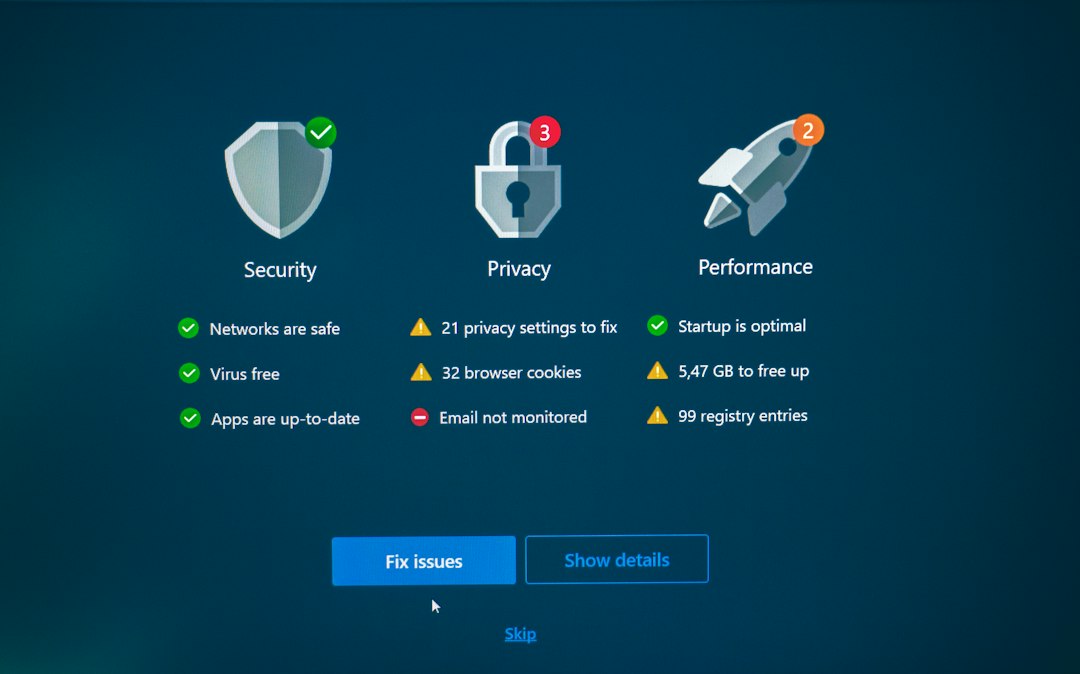
Microsoft Defender: the home team for Microsoft shops
Microsoft Defender is not one small product. It is a family. The main pieces are Defender for Endpoint, Defender for Identity, Defender for Office 365, Defender for Cloud Apps, and more.
If your enterprise already runs Microsoft 365 E5, Defender may already be sitting there. Waiting. Like a gym membership you forgot you had.
Its biggest strength is native integration. It works closely with Windows, Entra ID, Intune, Outlook, Teams, SharePoint, and Sentinel. That matters. A phishing email can be tied to a user login, then to a risky device, then to a cloud app session.
That type of joined-up view helps security teams move faster. It can also reduce tool sprawl. Nobody enjoys opening seven dashboards before coffee.
Where Defender shines
- Great Microsoft fit: It works best inside Microsoft-heavy companies.
- Strong identity signals: Entra ID risk data helps catch stolen accounts.
- Email protection: Defender for Office 365 is strong for phishing defense.
- Good Windows telemetry: It sees deep into Windows activity.
- Cost advantage: It may be included in existing E5 licensing.
The catch is the admin experience can feel like a scavenger hunt. Some settings live in one portal. Others seem to be hiding in another room with the lights off. Expect to spend time tuning policies, alerts, exclusions, and roles.
Also, Defender works well on non-Windows systems, but Windows is still its comfort zone. If your company has lots of Linux servers or macOS devices, test carefully.
CrowdStrike Falcon: fast, focused, and very endpoint smart
CrowdStrike Falcon is famous for endpoint detection and response. Its agent is lightweight. Its cloud console is clean. Its threat intelligence is strong. Its managed hunting team, OverWatch, has a very good reputation.
CrowdStrike is built around speed and visibility. It watches behavior on endpoints and looks for suspicious patterns. Not just known malware. Strange behavior too.
For example, if a normal accounting laptop suddenly starts dumping credentials and touching 200 servers, Falcon does not shrug. It raises its hand. Loudly.
Where CrowdStrike shines
- Excellent EDR: It is one of the strongest endpoint tools in the market.
- Fast deployment: The agent is small and easy to roll out.
- Strong hunting: Falcon is built for deep investigation.
- Cross-platform support: Good coverage across Windows, Mac, and Linux.
- Clear console: Security teams often find it easier to use.
Honestly, it feels like CrowdStrike was built by people who knew security teams were tired. The console is direct. The alerts are sharp. The workflow is usually tidy.
But it can get expensive. Extra modules add up. Identity protection, cloud security, log management, exposure management, and managed services may cost more. You may start with endpoint security and end with a cart full of add-ons. Fun for procurement? Not really.

Prevention: who blocks attacks better?
Both tools can block common malware, ransomware, and suspicious scripts. Both use behavior analysis. Both use machine learning. Both can isolate devices.
Defender is powerful when attacks touch Microsoft identity, email, Office files, or Windows devices. It connects signals across the Microsoft stack. That helps stop phishing-led attacks. Many breaches still start with a bad email and a tired user. Shocking, right?
CrowdStrike is excellent at endpoint behavior prevention. It is very good at spotting hands-on-keyboard attacks, unusual process activity, and attacker movement. If an attacker lands on a device and starts poking around, Falcon is built to notice.
For prevention, call it this way:
- Mostly Microsoft company: Defender has a strong edge.
- Mixed operating systems: CrowdStrike may feel smoother.
- Endpoint-first security program: CrowdStrike is hard to beat.
- Email and identity-heavy risk: Defender brings more native context.
Detection and response: who helps during the fire?
When an attack happens, speed matters. A 10-minute delay can be painful. A 10-hour delay can be a board meeting.
CrowdStrike is famous for fast investigation. Analysts can trace a process tree, inspect activity, and isolate a host quickly. The interface makes it easier to see what happened. That matters when everyone is asking, “Are we breached?” every 45 seconds.
Defender also has strong response tools. It can isolate a device, collect investigation packages, stop files, and run automated remediation. Its strength is the full story. It can connect endpoint alerts to login risk, mailbox rules, phishing campaigns, and cloud app access.
In a real case, imagine a finance user clicks a fake invoice. Defender may show the email, the URL, the login, the device alert, and the affected mailbox. CrowdStrike may show the endpoint activity in sharp detail and help stop the attacker on the device fast.
Both views are useful. The best one depends on your team and your stack.
Ease of use: simple wins fights
Security tools fail when teams ignore them. Too many alerts. Too many clicks. Too many mystery buttons.
CrowdStrike often wins for clean endpoint workflows. It feels focused. New analysts can usually understand the basics fast.
Defender has improved a lot. Still, the Microsoft security portal can feel busy. There are many products, many menus, and many similar names. It drives me crazy that one investigation can send you through multiple pages before the answer appears.
That said, Microsoft has one big gift. It keeps related data in one ecosystem. Once tuned, it can be powerful and efficient.
Pricing: the part nobody enjoys
Pricing depends on contracts, seats, modules, and bundles. So yes, the answer is annoying.
Defender may be cheaper if your enterprise already pays for Microsoft 365 E5. In that case, adding another endpoint platform may feel wasteful. But if you need only endpoint protection and not the full Microsoft bundle, costs need a close look.
CrowdStrike pricing is modular. You pick Falcon packages and add features. This is flexible. It can also grow fast. A large enterprise may pay more for premium modules and managed hunting, but many teams still see value because response work becomes faster.
A practical rule: compare total cost, not sticker price. Include staff time, alert tuning, training, integrations, and incident response speed.
Which one should your enterprise choose?
Pick Microsoft Defender if:
- You use Microsoft 365 E5 already.
- Your endpoints are mostly Windows.
- You want strong email, identity, and endpoint links.
- Your team uses Intune, Entra ID, and Sentinel.
- You want fewer vendors.
Pick CrowdStrike if:
- You want top-tier endpoint detection.
- You have Windows, Mac, and Linux at scale.
- Your security team values fast hunting workflows.
- You want a lightweight agent.
- You can budget for premium modules.
The smart answer may be both
Some enterprises use Defender for Microsoft-native coverage and CrowdStrike for endpoint EDR. This can work. It can also create duplicate alerts and extra cost. Do not buy both without a plan.
If you test both, run a 30-day pilot. Use real endpoints. Measure clear things:
- Mean time to detect.
- Mean time to respond.
- False positive rate.
- Analyst clicks per investigation.
- Agent performance impact.
- Coverage across operating systems.
Here is the plain answer. Defender is the best fit for Microsoft-centered enterprises. CrowdStrike is the cleaner pick for endpoint-heavy protection and serious threat hunting. The winner is the one your team can tune, trust, and use at 2:13 a.m. when a server starts acting weird.