


A MAC address identifies your device, while an IP address identifies where that device is on a network. Think of MAC as your device’s name tag. Think of IP as its current street address.
TLDR: A MAC address is built into your network device, like a phone, laptop, or printer. An IP address is assigned when that device joins a network, like your home Wi Fi. For example, your laptop may keep the same MAC address for years, but its IP address might change from 192.168.1.12 to 192.168.1.27 after a router restart. In a small office with 25 devices, the router may use MAC addresses to recognize each device, then hand out IP addresses so they can talk online.
MAC Address vs IP Address: The Simple Version
A MAC address works at the hardware level. It belongs to the network adapter inside your device. That could be a Wi Fi chip, Ethernet port, or Bluetooth adapter.
An IP address works at the network level. It helps data find your device across a local network or the internet.
Here is the easiest way to remember it:
- MAC address: Who the device is.
- IP address: Where the device is right now.
Your phone has a MAC address. Your smart TV has one too. Your printer, tablet, game console, and laptop all have MAC addresses. Once they connect to a router, they also get IP addresses.
What Is a MAC Address?
MAC stands for Media Access Control. Yes, the name sounds like it came from a dusty networking textbook. It kind of did.
A MAC address is a unique code tied to a network interface. It usually looks like this:
3C:52:82:A1:B7:9F
It is made of 12 hexadecimal characters. That means numbers from 0 to 9 and letters from A to F. The address is often split into pairs.
Each network adapter gets its own MAC address. So your laptop may have one MAC address for Wi Fi and another for Ethernet.
Here is what a MAC address does:
- Helps devices talk inside the same local network.
- Lets routers recognize specific devices.
- Can be used for access control.
- Helps with network troubleshooting.
For example, a school may allow only approved laptops on its Wi Fi. The network checks each laptop’s MAC address. If it is on the approved list, it gets in. If not, tough luck.
Honestly, it feels like this should be simpler. But some routers hide MAC address settings three menus deep. Expect to waste a few minutes clicking around if your router interface was designed in 2009.
What Is an IP Address?
IP stands for Internet Protocol. An IP address is used to send and receive data on a network.
It may look like this:
192.168.1.8
That is an IPv4 address. You may also see an IPv6 address, which looks longer and scarier:
2001:0db8:85a3:0000:0000:8a2e:0370:7334
Do not panic. You do not need to memorize either format.
Your IP address helps data find its way. When you open a website, your device sends a request. The website sends data back to your IP address. That is how the page appears on your screen.
There are two common types of IP addresses:
- Private IP address: Used inside your home or office network.
- Public IP address: Used on the internet by your router or network.
Your laptop may have a private IP like 192.168.1.14. Your home router may have one public IP from your internet provider. Many devices in your home share that public IP.
The Pizza Delivery Analogy
Let’s make this less boring.
Imagine your device is a person living in an apartment building.
- MAC address: The person’s legal name.
- IP address: The apartment number.
- Router: The front desk.
- Internet: The pizza place.
The pizza place needs an address. That is the IP address. The front desk may also need to know who ordered the pizza. That is like the MAC address on the local network.
If the person moves apartments, the apartment number changes. Their name stays the same. That is the basic idea.

Key Differences Between MAC and IP Address
| Feature | MAC Address | IP Address |
|---|---|---|
| Purpose | Identifies the device hardware | Identifies the device location on a network |
| Assigned by | Device maker | Router or internet provider |
| Changes often? | Usually no | Often yes |
| Used where? | Local network | Local network and internet |
| Example | 00:1A:2B:3C:4D:5E | 192.168.0.22 |
Can a MAC Address Change?
Yes, but not in the usual way.
The original MAC address is tied to the hardware. Yet many devices can use a randomized MAC address. Phones often do this for privacy. They may show a different MAC address on each Wi Fi network.
This helps stop stores, airports, and other public places from tracking your device too easily. Nice idea. Slightly annoying when you are trying to set up parental controls or allow only certain devices. The router may think your phone is a new device each time.
Can an IP Address Change?
Yes. Very often.
Your router usually gives devices IP addresses using DHCP. That stands for Dynamic Host Configuration Protocol. The banned word list says not to use one term, but this is part of the official name, so let’s keep it as the protocol name only.
DHCP hands out addresses automatically. Your laptop joins Wi Fi. The router says, “Here, use 192.168.1.23.” Later, the laptop may get a different one.
You can also set a static IP address. That means the IP stays fixed. This is useful for printers, servers, cameras, and gaming setups.
Why Both Addresses Are Needed
MAC and IP addresses work together. They do different jobs.
Inside your local network, devices use MAC addresses to send data to the right hardware. For wider network travel, they use IP addresses.
Here is a simple flow:
- You open a website.
- Your device uses an IP address to reach the site.
- Your router helps send data out and bring data back.
- Inside your home network, MAC addresses help deliver the data to the right device.
So yes, both matter. One is not “better” than the other. They are just built for different jobs.
How to Find Your MAC and IP Address
On most devices, you can find both in network settings.
- Windows: Open Command Prompt and type ipconfig /all.
- Mac: Go to System Settings, then Network.
- iPhone: Go to Settings, Wi Fi, then tap the info icon.
- Android: Go to Settings, Network, then Wi Fi details.
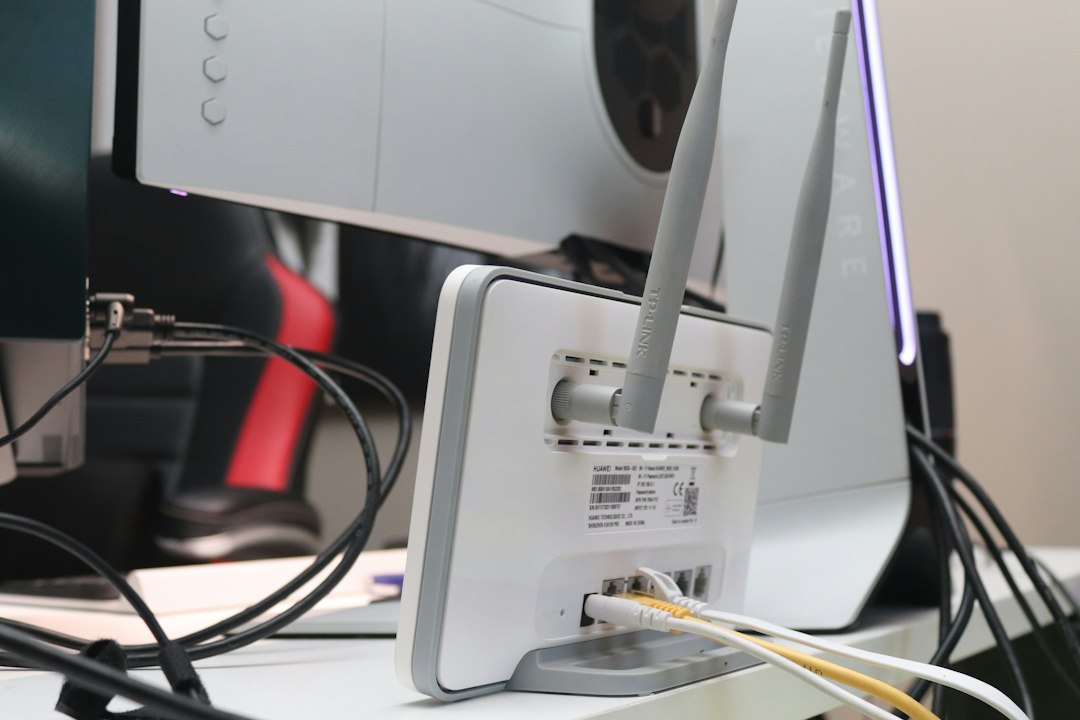
- Router: Check the connected devices list.
On Windows, the MAC address may be called Physical Address. The IP address may appear as IPv4 Address. Because apparently one clear label was too much to ask.
Quick Real Life Example
Say your office printer stops working.
You check the printer list. The printer used to be at 192.168.1.50. Now it is at 192.168.1.83. Your computer still looks for the old IP address. Nothing prints. Everyone gets grumpy.
The printer’s MAC address did not change. But the IP address did. Setting a static IP for the printer can fix this mess.
Final Takeaway
A MAC address is the device’s hardware identity. An IP address is the device’s network location. MAC works mostly inside your local network. IP works across networks and the internet.
If your device is a person, the MAC address is their name. The IP address is where they are sitting today. Simple, useful, and much less scary than it first sounds.