



A strong communications plan template keeps every message, owner, audience, and deadline in one simple place. That is the whole trick. It stops teams from guessing. It helps internal updates and external announcements sound clear, calm, and consistent.
TLDR: A communications plan template shows who needs to hear what, when, where, and from whom. For example, a 120-person company launching a new app feature could use it to send staff training notes on Monday, customer emails on Wednesday, and press updates on Thursday. Teams that plan messages early can cut rework by 30% or more because fewer people ask, “Wait, are we allowed to say that?” It is a simple tool, but it saves a lot of late-night panic.
What Is a Communications Plan Template?
A communications plan template is a reusable document. It maps your messaging from start to finish. Think of it as a recipe card for company updates.
It tells your team:
- What needs to be said
- Who needs to hear it
- Who will send it
- Where it will be shared
- When it goes out
- How success will be measured
Without one, messages get messy fast. Sales says one thing. Support says another. Leadership sends a vague email. Customers get confused. Then everyone meets for 45 minutes to fix what a 10-minute plan could have prevented. Annoying? Yes. Common? Also yes.

Why Internal and External Messaging Must Work Together
Internal messaging is what your employees hear. External messaging is what customers, partners, media, and the public hear. These two must match.
If customers know news before employees do, trust drops. If employees get half the story, they fill in the blanks. Usually badly. If the public message sounds polished but the internal message sounds cold, people notice.
A good plan keeps both sides aligned. Your team gets the facts first. Then your outside audience gets a clear message. No scrambling. No awkward “Let me check on that” replies.
Component 1: Communication Goal
Start with the goal. Keep it simple.
Ask, “What should this message achieve?”
Examples include:
- Announce a product launch
- Explain a policy change
- Prepare staff for customer questions
- Share crisis updates
- Promote an event
- Change public opinion
A weak goal sounds like this: “Tell people about the change.”
A strong goal sounds like this: “Help all employees explain the billing update to customers by Friday.”
See the difference? One is foggy. The other gives your team something to do.
Component 2: Audience Groups
Do not write for “everyone.” That is where bland messages are born.
Break your audience into clear groups. Internal groups may include:
- Leadership
- Managers
- Frontline staff
- Sales
- Customer support
- HR
- Remote employees
External groups may include:
- Customers
- Prospects
- Vendors
- Investors
- Media contacts
- Community groups
Each group needs a slightly different message. Your support team may need FAQs. Customers may need a short email. Media may need a press statement. Same truth. Different packaging.
Component 3: Key Messages
Your key messages are the main points people must remember. Keep them short. Keep them human.
A good template should include:
- Main message: The big idea
- Proof points: Facts, dates, numbers, or reasons
- Audience benefit: Why people should care
- Call to action: What people should do next
For example, if your company is changing office hours, the main message might be: “Starting June 3, office hours will shift to 8 a.m. to 4 p.m. to improve customer coverage.”
That is clear. No corporate fog machine needed.

Component 4: Channels
Now choose where the message will go. This part matters more than people think.
Internal channels might include:
- Slack or Teams
- Town halls
- Manager talking points
- Intranet posts
- Training sessions
External channels might include:
- Customer email
- Website updates
- Social media
- Press releases
- Webinars
- Help center articles
Honestly, it feels like some teams pick channels by habit, not by audience. That is how a key update ends up buried in a chat thread under ten GIFs and a lunch poll.
Pick channels based on urgency, detail, and audience habits. A crisis update may need email, text, and manager calls. A small feature update may only need a help article and a short customer note.
Component 5: Owners and Approvers
Every message needs an owner. Not a “group.” Not a mystery person. A real name.
Your template should list:
- Message owner: Writes or coordinates the message
- Subject expert: Checks accuracy
- Legal reviewer: Reviews risk, if needed
- Final approver: Says yes or no
- Sender: Delivers the message
This prevents the dreaded approval swamp. You know the one. Five people comment. No one decides. The launch clock keeps ticking. It drives me crazy when a “quick approval” takes two days because nobody knows who owns the final call.
Component 6: Timeline
Your timeline should show each step. Dates matter. Times matter too.
Include:
- Draft due date
- Review date
- Approval deadline
- Internal release time
- External release time
- Follow-up dates
Send internal messages first whenever possible. Give employees time to read, ask, and prepare. Even 24 hours can help. For sensitive news, give managers talking points before the company-wide message goes out.
Component 7: Message Matrix
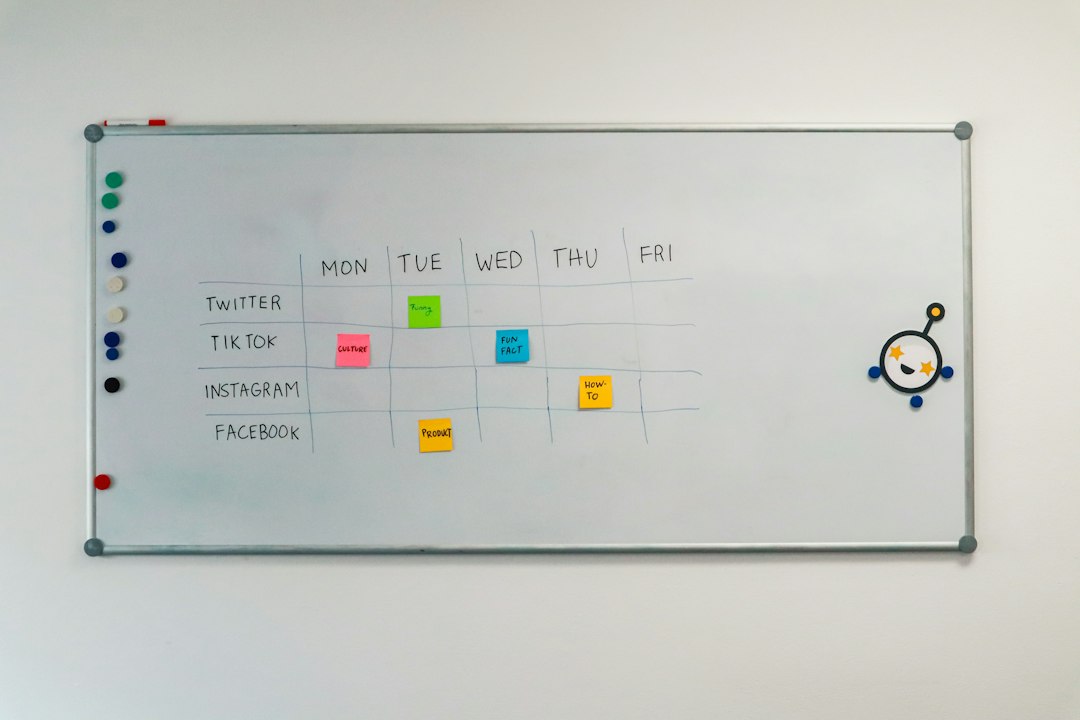
A message matrix is the heart of the template. It puts the moving parts in one table.
Use columns like these:
- Audience
- Message
- Channel
- Owner
- Send date
- Status
- Metric
Here is a simple example:
- Audience: Customer support team
- Message: New refund policy starts May 1
- Channel: Team meeting and FAQ sheet
- Owner: Support manager
- Send date: April 24
- Metric: 95% of agents complete training
This format makes gaps easy to spot. If there is no owner, fix it. If the send date is after launch, fix it fast.
Component 8: Risks and Backup Messages
Every plan needs a “what could go wrong” section. Not because you are gloomy. Because surprises love weak plans.
List possible risks:
- Employees hear rumors first
- Customers misunderstand pricing
- Media asks hard questions
- A system update fails
- Social comments turn negative
Then prepare backup messages. Write holding statements. Create FAQs. Give customer-facing teams approved answers. This keeps people from inventing replies under pressure.
Component 9: Metrics
If you do not measure communication, you only guess if it worked.
Track simple numbers. For internal messages, use:
- Email open rates
- Meeting attendance
- Training completion
- Employee survey scores
- Number of repeat questions
For external messages, track:
- Email clicks
- Website visits
- Support tickets
- Social comments
- Press mentions
- Customer sentiment
Pick metrics that match the goal. If your goal is awareness, track reach. If your goal is action, track signups, clicks, calls, or completed forms.
A Simple Template You Can Copy
Use this starter structure:
- Project or announcement name:
- Communication goal:
- Internal audiences:
- External audiences:
- Key messages:
- Channels:
- Owners:
- Approvers:
- Timeline:
- Message matrix:
- Risks:
- Backup statements:
- Success metrics:
- Post-send review notes:
Final Tip
Keep the template short enough to use. A 30-page plan may look impressive, but nobody wants to update it during a busy launch. The best version is clear, shared, and alive. Update it as dates shift. Mark tasks complete. Add lessons after the campaign.
Good communication is not magic. It is planning, timing, and fewer surprise meetings. Your template gives everyone the same map, the same message, and the same chance to get it right the first time.