



For software publishers, app bundles, resellers, and productivity brands, a well-designed flyer can turn a collection of Mac utility tools into a clear, persuasive offer. Instead of listing features in a technical way, the strongest marketing flyer designs organize benefits, show visual proof, and make the value of the tool collection easy to understand at a glance.
TLDR: The best marketing flyers for Mac utility tool collections are clean, benefit-focused, and visually aligned with the polished expectations of Mac users. They usually combine strong headlines, simple icon systems, screenshots, pricing highlights, and clear calls to action. Whether promoting cleanup tools, security utilities, backup apps, or productivity suites, an effective flyer should make the collection feel reliable, modern, and easy to use.
Why Flyer Design Matters for Mac Utility Tool Collections
Mac users often expect software to feel refined, intuitive, and visually elegant. A flyer promoting a Mac utility tool collection must therefore communicate more than functionality. It must suggest trust, performance, simplicity, and professionalism. If the flyer looks cluttered or outdated, potential customers may assume the software feels the same way.
Marketing flyers are especially useful for promoting collections because they can present multiple tools in one compact format. A single flyer can explain that the bundle includes a cleaner, uninstaller, duplicate finder, privacy protector, performance monitor, backup assistant, or file manager. The challenge is to make the offer feel comprehensive without making the design feel crowded.
The most successful flyer designs use a hierarchy that guides the viewer from interest to understanding, and then toward action. The headline attracts attention, the subheading explains the purpose, the visual section demonstrates the product, and the call to action tells the reader what to do next.
1. Minimalist Apple Inspired Flyer Design
A minimalist flyer is one of the strongest choices for a Mac utility tool collection. This approach uses generous white space, clean typography, subtle shadows, and a refined color palette. It mirrors the design language many users associate with premium Mac software.
In this style, the flyer may feature a large headline such as “Optimize, Protect, and Organize Your Mac”. Beneath it, a short line explains the collection in plain language. For example, it may say that the suite includes essential tools for cleaning storage, improving speed, managing files, and protecting privacy.
Best design elements for this style include:
- Large white or light gray background areas
- Simple soft gradients in blue, silver, or graphite
- Thin line icons for each utility tool
- One bold product mockup or dashboard screenshot
- A single strong call to action, such as “Download the Toolkit”
This design is ideal when the brand wants to appear premium and not overly promotional. It works well for digital campaigns, app launch promotions, email attachments, and software comparison handouts.

2. Feature Grid Flyer for Multi Tool Bundles
A Mac utility collection often contains several different tools, so a feature grid flyer can be extremely effective. This design divides the flyer into organized blocks, with each section dedicated to one utility. The viewer can quickly scan the collection and understand what is included.
For example, a flyer may include six feature cards: Smart Cleaner, Duplicate Finder, App Uninstaller, Privacy Shield, Startup Manager, and Backup Assistant. Each card can include a small icon, a short benefit, and perhaps one statistic or promise.
The feature grid works best when the copy is concise. Instead of writing long descriptions, the designer should use punchy benefit statements such as “Remove hidden junk files”, “Free up storage instantly”, or “Control startup items with ease”.
Recommended layout structure:
- Top section: Main headline and one sentence value proposition
- Middle section: Grid of four to eight utility features
- Lower section: Pricing, trial offer, or bundle discount
- Footer: Website, QR code, contact details, and call to action
This kind of flyer is practical for trade shows, software marketplaces, affiliate promotions, and partner sales kits. It helps audiences compare benefits quickly without needing a lengthy brochure.
3. Dark Mode Technology Flyer
Dark mode designs are popular for technology products, and they are particularly suitable for Mac utility tools that focus on performance, privacy, diagnostics, and security. A dark flyer can feel powerful, modern, and professional when designed carefully.
This style usually uses black, deep navy, charcoal, or midnight blue backgrounds. Bright accent colors such as electric blue, green, cyan, or violet can highlight important information. The result is a flyer that feels technical but still elegant.
A dark mode flyer works especially well for collections that include antivirus utilities, password protection, encrypted file tools, system monitoring, or network diagnostics. The visual language can include glowing interface elements, shield icons, performance charts, and dashboard screenshots.
Important design tips for dark flyers:
- Use high contrast text so the flyer remains easy to read
- Avoid too many neon effects, which can make the layout look cheap
- Use one dominant accent color for buttons and highlights
- Make screenshots bright enough to stand out from the background
- Keep body copy short and spacious
For a strong headline, the flyer might use language such as “Your Mac, Secured and Streamlined” or “Professional Utilities for a Faster, Safer Mac”. The message should combine performance and protection, both of which are common concerns for users considering a utility bundle.
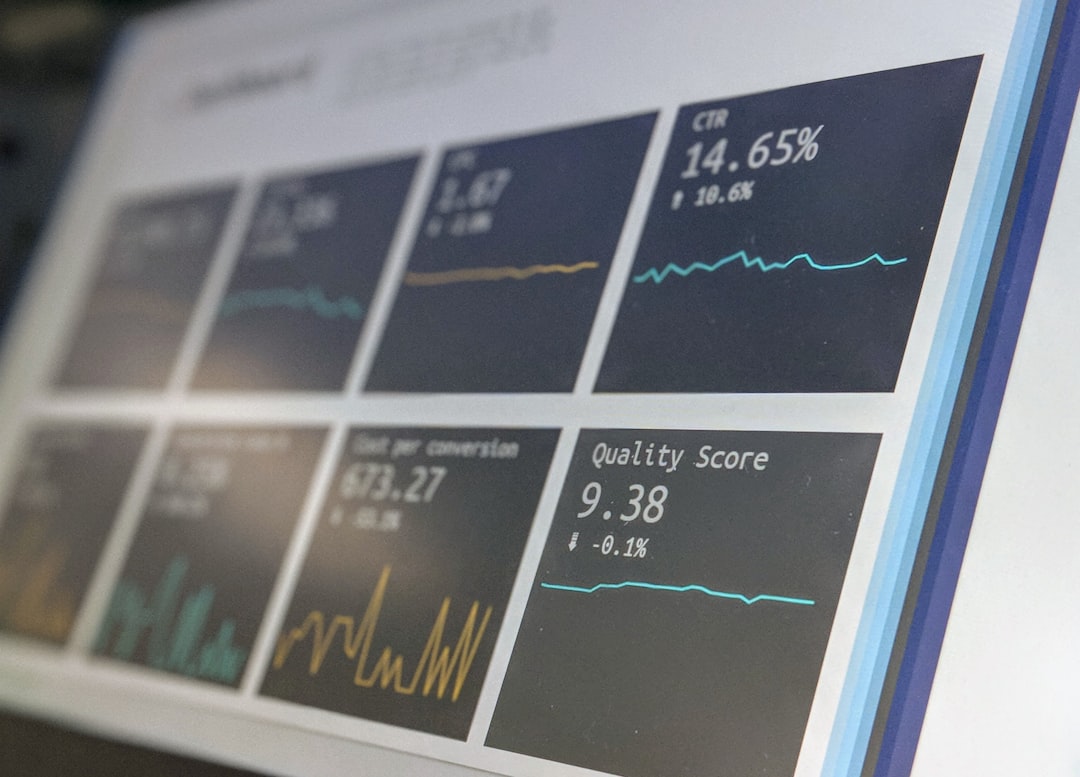
4. Before and After Performance Flyer
A before and after flyer is highly persuasive because it shows transformation. Mac utility collections are often designed to solve problems such as low storage, slow startup, duplicate files, old leftovers from deleted apps, or privacy risks. A flyer that visualizes these problems and their solutions can create an immediate emotional connection.
The design may split the page into two halves. One side shows a cluttered, slow, disorganized Mac experience, while the other side shows a clean, optimized, protected system. Charts, storage bars, and simple performance indicators can make the message more convincing.
Examples of before and after messages include:
- Before: “Storage almost full” After: “Gigabytes recovered”
- Before: “Slow startup” After: “Faster launch times”
- Before: “Duplicate files everywhere” After: “Organized library”
- Before: “Unknown privacy risks” After: “Stronger protection”
This flyer type is especially useful for audiences who may not immediately understand why they need a utility suite. Instead of focusing only on software features, it highlights everyday frustrations and makes the product collection feel like a practical solution.
5. Promotional Bundle Flyer with Pricing Emphasis
When the goal is to drive sales quickly, a promotional flyer with strong pricing emphasis can be very effective. This design focuses on the value of buying the entire Mac utility collection rather than purchasing separate tools individually.
Common elements include a large discount badge, a limited time offer, a bundle comparison chart, or a highlighted savings message. However, the design must still look professional. Overuse of flashing colors, oversized price tags, or too many urgent phrases can reduce trust, especially among Mac users who expect quality.
A balanced promotional flyer may feature a headline like “Complete Mac Utility Suite at One Smart Price”. Below that, it can show the normal combined value versus the bundle price. A clear button or QR code can lead the reader to a download page, free trial, or purchase page.
Useful pricing flyer components:
- Bundle value comparison
- Free trial or money back guarantee note
- One year license or lifetime access details
- Compatibility statement for current macOS versions
- Clear renewal or subscription information
This design is especially suitable for seasonal campaigns, software launches, Black Friday promotions, back to school offers, and business productivity packages.
6. Screenshot Led Product Flyer
For utility software, screenshots can be more convincing than decorative illustrations. A screenshot led flyer places the product interface at the center of the design. It shows what users will actually experience after installing the tool collection.
The best screenshot flyers do not simply paste random app windows into the layout. Instead, they use carefully selected screens that show meaningful benefits. A storage analysis dashboard, one click cleanup screen, security scan result, or file organization panel can instantly communicate usefulness.
To keep the layout polished, screenshots should be presented inside Mac device mockups or floating window frames. Subtle shadows can add depth, while callout labels can point to important product features.

Strong screenshot callouts may include:
- “Scan hidden system clutter”
- “Review files before deletion”
- “Monitor storage in real time”
- “Protect private browsing data”
This flyer style builds trust because it removes uncertainty. Viewers can see that the tools look organized and user friendly before they download or buy.
7. Business Productivity Flyer for Professional Users
Some Mac utility tool collections are designed for freelancers, agencies, IT teams, and business users. In that case, the flyer should feel less like a consumer discount ad and more like a professional productivity solution.
This design can use calm corporate colors, structured sections, and language focused on time savings, workspace efficiency, and device reliability. Instead of saying only that the tools clean a Mac, the flyer can explain that the suite helps teams maintain smoother workflows and reduce technical interruptions.
Professional flyer messaging may highlight:
- Centralized utility tools for work devices
- Reduced downtime from cluttered systems
- Safer handling of sensitive files
- Better storage management for creative projects
- Simplified maintenance for multiple Macs
This approach works well for B2B campaigns, managed service providers, business software resellers, and SaaS style utility platforms.
Key Design Principles for High Converting Flyers
Regardless of the chosen design style, several principles consistently improve flyer performance. First, the flyer should lead with benefits, not technical jargon. Terms such as caches, binaries, logs, permissions, and scripts may be accurate, but many readers care more about clean storage, better speed, and safer data.
Second, the visual hierarchy should be obvious. A viewer should instantly know where to look first, second, and third. The headline should be the strongest text element, followed by key benefits, proof points, and the call to action.
Third, the flyer should avoid trying to say everything. A utility collection may have dozens of features, but the flyer should focus on the most marketable benefits. Extra information can be saved for landing pages, product sheets, or onboarding emails.
A strong Mac utility flyer should include:
- A clear promise in the headline
- Three to six major benefits
- Professional screenshots or icons
- Compatibility details
- Trust signals such as reviews, ratings, guarantees, or privacy notes
- A direct call to action
Common Mistakes to Avoid
Many software flyers fail because they look too generic. A flyer that could apply to any app will not make a Mac utility collection memorable. The design should clearly communicate that the product is made for Mac users and that it solves specific system maintenance problems.
Another mistake is using too many icons, claims, and badges. While a tool collection may have many strengths, overcrowding makes the flyer harder to read. A clean layout often feels more trustworthy than a busy one.
Finally, vague calls to action can weaken results. Instead of simply saying “Learn More”, the flyer can use more specific action phrases such as “Start a Free Mac Scan”, “Get the Complete Utility Suite”, or “Download the Mac Cleanup Bundle”.
Conclusion
The top marketing flyer designs for Mac utility tool collections combine clarity, visual polish, and a strong understanding of user needs. Whether the flyer uses a minimalist layout, a feature grid, a dark technology theme, a before and after comparison, or a price driven promotion, its main job is to make the collection feel useful and trustworthy.
A successful flyer does not overwhelm readers with every technical detail. Instead, it presents the software as a simple solution to common Mac problems: clutter, slowdowns, duplicate files, privacy concerns, and inefficient workflows. When design and messaging work together, a flyer can turn a utility bundle into a compelling offer that users are ready to explore.
FAQ
What should a Mac utility tool collection flyer include?
A strong flyer should include a benefit focused headline, a short product description, key utility features, screenshots or icons, compatibility details, pricing or trial information, and a clear call to action.
Which flyer design style works best for Mac software?
Minimalist and clean designs often work best because they match the polished expectations of Mac users. However, dark mode technology flyers and screenshot led layouts can also be highly effective for security, performance, and diagnostic tools.
How many features should be shown on a flyer?
Most flyers should highlight three to six major features. If the collection includes many utilities, a feature grid can show more, but each item should use very short copy to avoid clutter.
Should pricing be included on the flyer?
Pricing should be included when the campaign is sales focused or promotional. If the goal is brand awareness or lead generation, the flyer may instead emphasize a free trial, demo, or scan.
Are screenshots important for Mac utility flyers?
Yes. Screenshots help users understand the interface and build confidence in the product. They are especially useful when the software has a clean dashboard, visible scan results, or simple one click actions.
What call to action works well for a Mac utility suite?
Effective calls to action include “Start a Free Scan”, “Download the Utility Suite”, “Optimize Your Mac Today”, and “Get the Complete Mac Toolkit”. The best option depends on the campaign goal.