


Advertising on Facebook can be a practical way to reach people who are likely to care about your products, services, or content. For beginners, the platform may look complicated at first, but the basic process is straightforward when you understand the structure: choose a goal, define an audience, set a budget, create the ad, and measure the results. A successful first campaign does not need to be perfect; it needs to be clear, controlled, and based on sensible decisions.
TLDR: To create your first Facebook ad, start by choosing a clear objective, such as traffic, leads, or sales. Then define your audience, set a modest daily or lifetime budget, upload a simple ad creative, and write direct copy with a clear call to action. After publishing, monitor performance carefully and improve your campaign based on real data rather than assumptions.
Understanding How Facebook Ads Work
Facebook ads are managed through Meta Ads Manager, the advertising platform used for Facebook, Instagram, Messenger, and the Meta Audience Network. When you create an ad, you are not simply “boosting” a post randomly. You are entering an auction system where Meta decides which ads to show based on your bid, audience relevance, estimated action rate, and the quality of the ad experience.
For a beginner, the most important idea is this: Facebook ads perform best when your message, audience, and offer match each other. A good-looking ad shown to the wrong people will usually waste money. A strong offer with unclear wording may be ignored. A well-targeted campaign with poor tracking can make it difficult to know what is actually working.
Before you begin, make sure you have:
- A Facebook Page for your business, brand, or project.
- Access to Meta Ads Manager.
- A clear advertising goal.
- An image, video, or graphic for your ad.
- A landing page, website, product page, or lead form where users can take action.

Step 1: Choose a Clear Campaign Objective
The first important decision is your campaign objective. This tells Meta what result you want. Choosing the wrong objective is one of the most common beginner mistakes. If you want people to visit your website, choose a traffic-related objective. If you want people to submit their details, choose leads. If you want purchases, choose sales.
Common objectives include:
- Awareness: Useful if you want more people to learn about your brand.
- Traffic: Best when you want to send people to a website, blog post, or landing page.
- Engagement: Useful for post reactions, comments, shares, video views, or messages.
- Leads: Designed to collect contact information from potential customers.
- Sales: Best for ecommerce stores or businesses tracking purchases online.
If this is your first campaign and you are not yet selling directly online, Traffic or Leads may be sensible starting points. If you already have a functioning online store and tracking installed, Sales may be more appropriate.
Step 2: Define Your Audience Carefully
Your audience determines who may see your ad. Facebook offers detailed targeting options, but beginners should avoid making the audience too narrow too quickly. A very small audience can limit delivery and increase costs. A very broad audience can waste budget if your message is not specific enough.
Start with the basics:
- Location: Choose the countries, regions, cities, or local areas you serve.
- Age: Select an age range that realistically matches your customers.
- Gender: Use only if your offer is genuinely gender-specific.
- Languages: Useful if your ad or landing page is written in a specific language.
- Interests and behaviors: Add relevant interests, but do not overcomplicate the first campaign.
For example, if you sell beginner yoga classes in Chicago, your audience might include adults within a practical distance of your studio who are interested in yoga, wellness, stretching, or fitness. If you sell digital products worldwide, you may need broader targeting combined with stronger creative and tracking.
Over time, you can create more advanced audiences, such as Custom Audiences from website visitors or customer lists, and Lookalike Audiences based on people similar to your existing customers. However, for your first ad, focus on a simple audience you can explain clearly.
Step 3: Set a Realistic Budget and Schedule
One of the advantages of Facebook advertising is that you can start with a modest budget. You do not need to spend hundreds or thousands of dollars immediately. In fact, for beginners, it is usually better to begin small, learn from the data, and increase spending only when results are stable.
You can choose between:
- Daily budget: The average amount you are willing to spend per day.
- Lifetime budget: The total amount you want to spend over the full campaign schedule.
A daily budget is often easier for beginners because it gives you consistent spending and allows simple monitoring. For a first campaign, a modest daily amount can be enough to gather early performance signals. The right budget depends on your market, product value, and goal, but the principle is the same: do not spend more than you can afford to test.
Let the campaign run long enough to collect useful data. Turning an ad off after only a few hours can be misleading. A reasonable first test may run for several days, depending on your budget and audience size.
Step 4: Create the Ad Creative
Your ad creative is the image, video, or visual format people see in their feed. It has a major influence on whether they stop scrolling. For beginners, simple and clear usually performs better than overly complex design. The creative should immediately communicate what is being offered and why it matters.
Good ad creative often includes:
- A clean image or short video related to the offer.
- A clear focal point, such as the product, person, or result.
- Readable text if text is used in the image.
- Brand consistency, including appropriate colors and tone.
- A visual style that matches the audience’s expectations.

If you are promoting a service, consider using an image of a person, a professional setting, or a visual representation of the outcome. If you are promoting a product, show the product clearly and, when possible, demonstrate it in use. If you use video, keep it concise and make the first few seconds strong, since many users decide quickly whether to keep watching.
Step 5: Write Clear and Persuasive Ad Copy
Your ad copy should explain the offer in plain language. Avoid vague claims and exaggerated promises. A trustworthy Facebook ad tells people what they will get, who it is for, and what they should do next.
Most Facebook ads include several key text elements:
- Primary text: The main message above or near the creative.
- Headline: A short, attention-focused line.
- Description: Additional context, depending on the placement.
- Call to action: A button such as Learn More, Sign Up, Shop Now, or Get Quote.
A simple structure works well:
- Identify the problem or desire.
- Present your offer as a relevant solution.
- Provide a reason to act now.
- End with a clear next step.
For example, instead of writing, “We offer the best accounting services,” a stronger version might be: “Need help keeping your small business finances organized? Our accounting team helps local business owners manage bookkeeping, tax preparation, and monthly reports. Schedule a consultation today.”
This copy is specific, professional, and action-oriented. It does not rely on unrealistic claims. That is important because trust is essential in paid advertising.
Step 6: Choose Placements
Placements are the locations where your ad can appear, such as Facebook Feed, Instagram Feed, Stories, Reels, Marketplace, Messenger, and other areas. Meta may recommend using automatic placements, which allows the system to deliver ads where it expects the best results.
For beginners, Advantage+ placements can be a reasonable choice because it gives Meta more flexibility. However, review the preview carefully to make sure your creative looks acceptable in different formats. A square image may look good in the feed but less effective in Stories. A vertical video may work well in mobile placements but not as well elsewhere.
If your creative is designed only for one format, you may want to edit placements manually. Otherwise, begin with automatic placements and use performance data to decide later whether certain placements should be adjusted.
Step 7: Review Tracking and Destination
Before publishing, check where people will go after clicking your ad. The landing page must match the ad message. If your ad promotes a free consultation, the page should clearly explain that consultation and make it easy to request one. If your ad promotes a product, the link should go directly to the product or a relevant collection, not a general homepage.
If you have a website, consider setting up the Meta Pixel and relevant conversion events. The Meta Pixel helps track actions such as page views, leads, add-to-cart events, and purchases. Without tracking, you may see clicks but not know whether those clicks turned into valuable business results.
Important checks before launch include:
- The link works correctly on mobile and desktop.
- The page loads quickly.
- The message on the page matches the ad.
- The contact form or checkout process works.
- Tracking is installed if conversions are important.
Step 8: Publish and Monitor the Campaign
Once your campaign is reviewed and published, Meta will check it against its advertising policies. Approval can be quick, but it may take longer in some cases. After the ad begins delivering, avoid making too many immediate changes. Campaigns often need time to stabilize.
Monitor the most relevant metrics for your objective:
- Impressions: How many times your ad was shown.
- Reach: How many unique people saw your ad.
- Click through rate: The percentage of impressions that produced clicks.
- Cost per click: How much you pay for each click.
- Conversion rate: The percentage of visitors who take the desired action.
- Cost per result: The average cost for the outcome you selected.
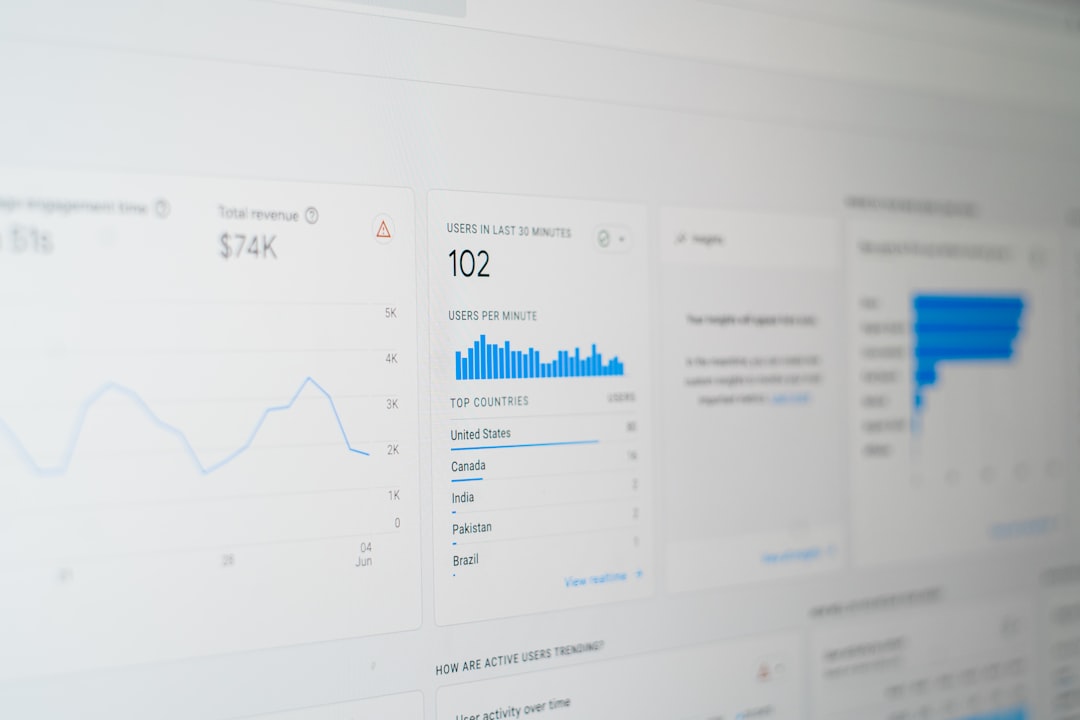
Do not judge success from one number alone. A low cost per click is not valuable if none of those visitors become leads or customers. A higher cost per click can still be profitable if the traffic converts well. The goal is not simply to get cheap activity; it is to generate meaningful results.
Common Beginner Mistakes to Avoid
Many first-time advertisers make similar mistakes. Being aware of them can protect your budget and improve your learning process.
- Using an unclear objective: If you want leads, do not optimize only for likes.
- Targeting too broadly without a strong message: Broad audiences need clear creative and copy.
- Changing the campaign too often: Frequent edits can interrupt learning and make results harder to interpret.
- Ignoring the landing page: The ad can only do part of the work; the destination must convert.
- Relying on one ad only: Testing two or three variations can reveal what your audience prefers.
- Expecting instant profit: Advertising usually requires testing, measurement, and refinement.
How to Improve After Your First Campaign
Your first Facebook ad should be treated as a controlled test. After it runs, review what happened and ask practical questions. Which audience responded best? Which creative produced the strongest engagement? Did people click but fail to convert? Was the offer clear enough?
Based on the answers, make one or two changes at a time. You might test a new image, rewrite the headline, narrow the audience, improve the landing page, or adjust your call to action. Avoid changing everything at once, because then you will not know which change caused the improvement or decline.
As you gain confidence, you can explore more advanced strategies, including retargeting website visitors, creating lookalike audiences, testing video ads, using catalog ads, and building full-funnel campaigns. However, advanced tactics work best when the basics are already solid.
Final Thoughts
Creating your first Facebook ad is not about mastering every feature immediately. It is about building a reliable foundation: a clear goal, a relevant audience, a strong message, a realistic budget, and careful measurement. If you approach the process seriously and review your results honestly, Facebook advertising can become a useful part of your marketing strategy.
Start small, document what you test, and make decisions based on evidence. Over time, your campaigns can become more efficient, your messaging can become sharper, and your understanding of your audience can become much stronger.