



Internal linking is often overshadowed by more glamorous SEO tactics like backlink building or keyword optimization. However, for WooCommerce store owners, a smart internal linking structure can significantly boost site visibility, improve user experience, and increase conversion rates. While suggested or related products are commonly used, there is much more ground to cover to optimize WooCommerce SEO effectively.
TLDR (Too Long, Didn’t Read)
Internal linking in WooCommerce should go beyond just showing related or suggested products. By strategically connecting product pages, blog content, category archives, and even FAQs, store owners can guide users and search engines through their website more effectively. This enhances user navigation, keeps visitors on the site longer, and improves page rankings. Focus on creating contextual, relevant links using anchor texts and organizing your internal structure with a clear hierarchy.
Why Internal Linking Matters in WooCommerce
Internal links serve as pathways for both users and search engines to explore your website. A robust internal linking structure ensures that:
- Search engine bots can crawl and index more of your site effectively.
- Link equity (or “SEO juice”) is distributed throughout the site.
- Users discover related content and products, increasing time on site and lowering bounce rates.
- Hierarchy and topical clusters are better defined, optimizing keyword relevance.
While WooCommerce provides built-in support for related products, these machine-generated connections often lack strategy and can miss many valuable linking opportunities.
Areas Beyond Suggested Products to Apply Internal Linking
1. Blog Content to Product Pages
Content marketing plays a massive role in e-commerce SEO. If your store runs a blog, use it to internally link to specific products when appropriate. For example, if you have a post about “Best Winter Running Tips,” you might link to winter gear or thermal running shoes you sell.
Use anchor texts that are descriptive but not keyword-stuffed. For instance:
“Make sure you stay warm with our thermal running socks that are designed for cold weather runs.”
2. Product Pages Linking to Other Product Pages
Instead of relying solely on automated “related products” modules, handpick certain products to recommend. This technique emphasizes curated user experience and connects products that your audience logically considers together.
Example: On a hiking boots page, link to waterproof boot sprays or specialized hiking socks with something like:
“Preserve your investment with our waterproofing spray, perfect for protecting your boots during rainy excursions.”
3. Link Back to Category Pages
Encouraging navigation back to category pages (e.g., “All Hiking Equipment” or “All Kitchenware”) helps search engines understand the thematic structure of your site. It also helps users who may want to explore more options within a niche.
At the end of a product description, add a line such as:
“Looking for more options? Explore all ceramic cookware sets.”
4. FAQ Sections with Internal Links
Embedded internal links within your FAQs guide readers to essential pages and enhance the UX. They also offer keyword-rich anchor link opportunities. For instance:
“Need help with sizing? View our detailed size guide before ordering your running shoes.”
5. Cross-Linking in Product Descriptions or Meta Descriptions
Many WooCommerce sites neglect the opportunity to connect within product descriptions. Use engaging copy to include natural links to accessories, setups, or upgrade products. Just ensure the links are relevant and beneficial to the user.
6. Author Bio and Contributor Boxes
If your site uses contributor bios or author blocks in blog posts, use them for internal linking. For example:
“Jane Doe is a fitness gear expert. Check out her recommended top-rated yoga mats.”
Techniques for Effective Internal Linking
1. Use Keyword-Rich Anchor Texts
Don’t use generic terms like “click here” or “read more.” Instead, opt for descriptive anchors such as “mens waterproof hiking boots” or “organic vegan protein powder.”
2. Limit the Number of Links Per Page
Quality over quantity is key. Too many links can confuse readers and dilute SEO value. Try to keep it under 100 internal links per page, focusing on the most strategic and useful ones.
3. Ensure Crawlability
Use tools like Screaming Frog or Ahrefs to audit your linking structure regularly. Ensure that all internal links are functioning, redirect-free, and crawlable by bots.
4. Create a Content Silo Strategy
Group related content together through internal links to create silos. This helps boost topical relevance. For instance, your camping gear category could internally link:
- All tents
- Guides on how to choose a tent
- Blog reviews of top-rated tents
All these pieces should link back to a pillar page like “Ultimate Camping Gear Guide.”
5. Use Breadcrumb Navigation
Breadcrumbs not only help users find their way but also reinforce your site’s hierarchy with internal links to categories and parent pages. Make sure your WooCommerce theme supports it and that it’s schema-friendly for rich snippets.
Tools to Simplify Internal Linking
- Link Whisper – A plugin that uses AI to suggest internal link opportunities inside WordPress.
- Yoast SEO – Offers smart suggestions for internal linking, especially between blog posts and product pages.
- Rank Math – Another SEO plugin with built-in internal link suggestions and reporting.

Monitoring and Measuring Success
Once implemented, it’s vital to track performance to ensure your linking strategy is paying off. Monitor metrics like:
- Average time on page
- Bounce rate
- CTR for internal links
- Google crawl coverage reports
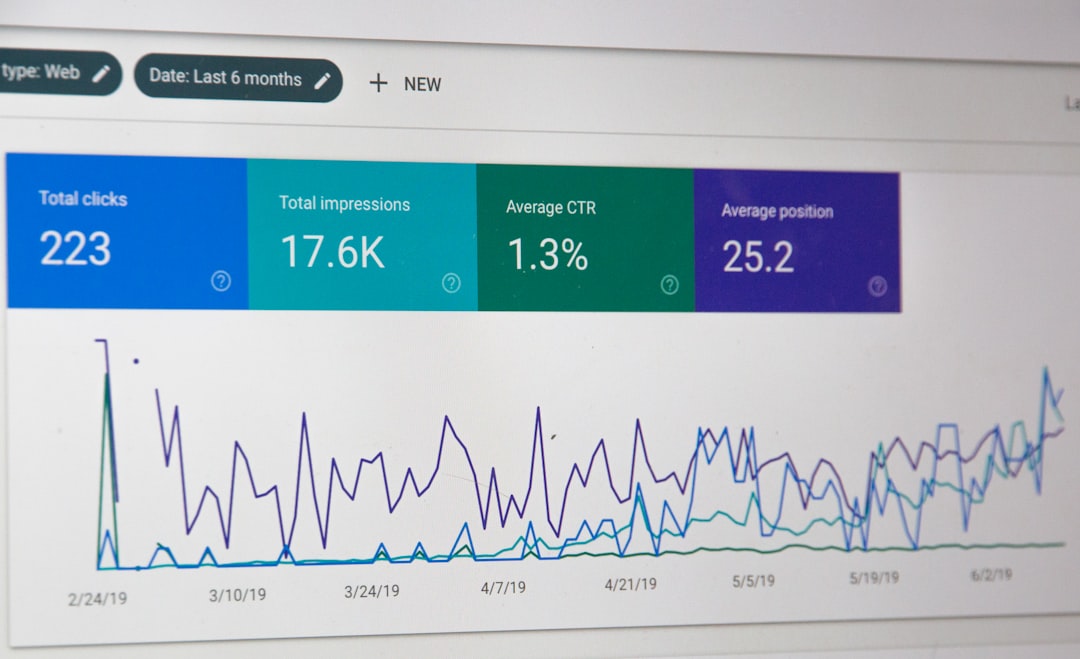
Leverage Google Search Console and Google Analytics to capture these insights and adapt your strategy over time.
Final Thoughts
Internal linking should be more than an afterthought, especially in WooCommerce stores where numerous product pages can easily fall through the cracks of poor navigation. Creating a solid internal linking strategy helps distribute SEO value, improves user engagement, and ultimately drives more conversions. Think of every link as a bridge guiding both users and bots to your site’s most valuable content.
FAQs
- 1. Can I overdo internal linking on my WooCommerce site?
- Yes, over-linking can overwhelm users and dilute SEO impact. Stick to contextual, helpful links and avoid stuffing pages with irrelevant ones.
- 2. What anchor text should I use for internal links?
- Use descriptive, keyword-rich anchor texts that clearly indicate what the linked content is about without keyword stuffing.
- 3. Are related products not enough for internal linking?
- No. Related products are algorithmically-generated and often lack strategic context. Manual linking adds depth and structure to user journeys and SEO.
- 4. How many internal links per page are considered good?
- Although Google doesn’t specify a limit, a good rule of thumb is to stay under 100 per page and prioritize contextual value over volume.
- 5. Do internal links help product pages rank better?
- Yes. Internal links help distribute PageRank, improve crawlability, and reinforce keyword relevance—especially for deeper product pages that are hard to discover otherwise.