



Modern hosting environments and DevOps pipelines rely on constant uptime, predictable performance, and fast incident response. As infrastructure grows more complex—spanning cloud services, containers, virtual machines, and on-prem servers—teams need powerful monitoring tools that detect issues before users even notice. The right server monitoring solution not only tracks uptime but also provides deep insights into performance metrics, logs, and anomalies in real time.
TLDR: Server monitoring tools help hosting and DevOps teams detect problems early, reduce downtime, and maintain performance. The best tools combine real-time alerts, detailed analytics, customizable dashboards, and integrations with modern infrastructure. This article explores five powerful monitoring platforms that excel at catching issues fast. A comparison chart and FAQs at the end help teams choose the right fit.
Below are five server monitoring tools known for their reliability, speed in detecting issues, and adaptability to modern infrastructure environments.
1. Datadog
Best for: Cloud-native environments and large-scale infrastructure
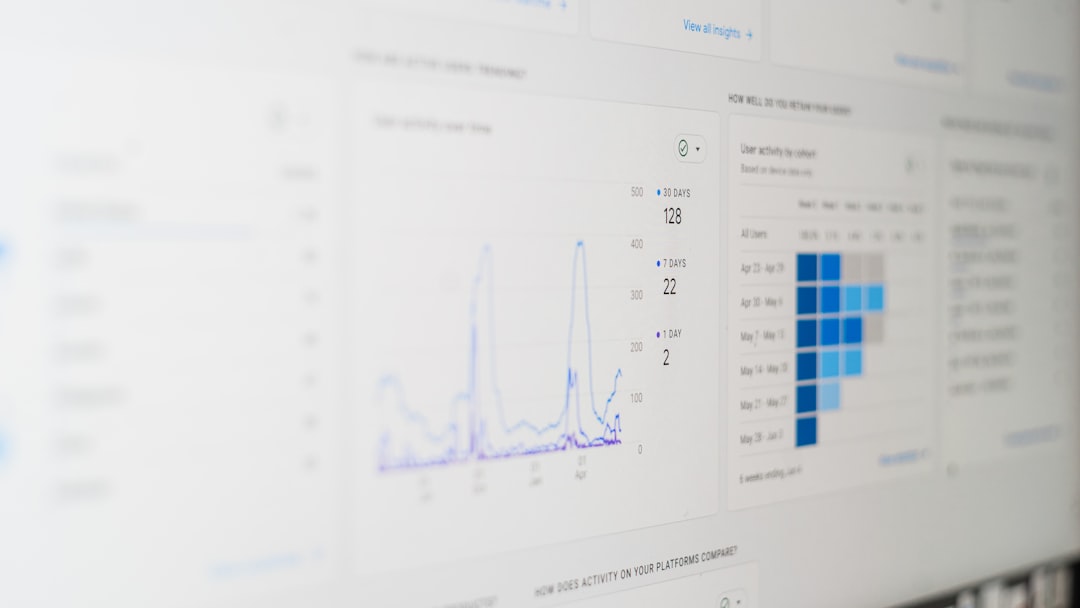
Datadog has become a go-to monitoring solution for DevOps teams operating in dynamic, cloud-driven environments. It provides full-stack observability—covering metrics, traces, and logs in one unified dashboard.
What makes Datadog particularly powerful is its real-time monitoring and AI-driven alerting. It continuously analyzes system behavior and flags anomalies based on historical patterns. This proactive detection helps teams address memory leaks, CPU spikes, or network bottlenecks before they escalate.
Key Features:
- Infrastructure monitoring for physical, virtual, and cloud servers
- APM (Application Performance Monitoring)
- Log management and correlation
- Container and Kubernetes monitoring
- Over 600 integrations
Datadog shines in environments where microservices and containers are constantly scaling. However, its pricing can become costly for very large infrastructures.
2. Zabbix
Best for: Open-source flexibility and customization
Zabbix is a mature open-source monitoring solution trusted by enterprises worldwide. It offers extensive visibility into servers, networks, cloud services, and applications—all without licensing fees.
One of Zabbix’s key strengths is its customizability. DevOps teams can configure granular alerts, define custom thresholds, and build tailored dashboards. This makes it ideal for organizations requiring precise control.
Key Features:
- Agent-based and agentless monitoring
- SNMP and IPMI support
- Highly customizable alerting system
- Strong visualization and reporting tools
- Scalable architecture for large environments
Zabbix may require more configuration time compared to SaaS tools, but it rewards teams with complete flexibility.
3. SolarWinds Server & Application Monitor (SAM)
Best for: Deep server performance insights and application monitoring
SolarWinds SAM provides detailed monitoring across both infrastructure and applications. It is particularly valuable for organizations running hybrid environments with on-prem and cloud systems.
Its standout feature is intelligent performance baselining, which learns normal behavior patterns and alerts teams when deviations occur. This greatly reduces false positives while ensuring fast response to genuine threats.
Image not found in postmeta
Key Features:
- Out-of-the-box templates for hundreds of applications
- Deep performance metrics for Windows and Linux servers
- Dependency mapping
- Customizable alerts with escalation options
- Hardware health monitoring
SolarWinds is particularly effective in structured enterprise environments. However, smaller teams may find it more than they need.
4. Nagios
Best for: Proven reliability and plugin-based extensibility
Nagios has long been a staple in the server monitoring space. Its core strength lies in simplicity and configurability. With a large ecosystem of plugins, teams can extend monitoring coverage to virtually any service or device.
Nagios excels at early issue detection through proactive checks. It continuously scans system health indicators like disk usage, service availability, CPU load, and memory consumption.
Key Features:
- Comprehensive infrastructure monitoring
- Plugin-driven architecture
- Advanced alerting system
- Event handler integrations
- Strong community support
While its interface may feel dated compared to newer platforms, it remains a powerful and dependable choice—especially for teams comfortable with manual configuration.
5. PRTG Network Monitor
Best for: Unified network and server visibility
PRTG Network Monitor offers an intuitive way to monitor servers, network devices, applications, and bandwidth usage—all within a single interface.
Its sensor-based approach allows teams to activate only the monitoring components they need. This makes PRTG highly adaptable and cost-efficient for mid-sized organizations.
Image not found in postmetaKey Features:
- Pre-configured sensors for various services
- Auto-discovery of network components
- Flexible alerting (email, SMS, push notifications)
- Custom dashboards and maps
- Quick setup and deployment
PRTG is especially strong at visualizing infrastructure relationships, helping teams quickly pinpoint root causes during outages.
Comparison Chart
| Tool | Deployment Type | Best For | Alerting Capabilities | Pricing Model |
|---|---|---|---|---|
| Datadog | Cloud-based | Cloud-native & microservices | AI-driven anomaly detection | Subscription-based |
| Zabbix | Self-hosted | Custom enterprise setups | Highly customizable triggers | Free (open-source) |
| SolarWinds SAM | On-prem & hybrid | Enterprise hybrid environments | Intelligent baselining alerts | Perpetual + maintenance |
| Nagios | Self-hosted | Plugin-based extensibility | Service & host-level alerts | Free + paid options |
| PRTG | On-prem & cloud | Network-focused monitoring | Sensor-based notifications | Sensor-based licensing |
How to Choose the Right Tool
Choosing the right server monitoring tool depends largely on infrastructure complexity, team size, and response requirements. Teams should consider:
- Scalability: Can it grow with infrastructure demands?
- Ease of deployment: SaaS vs. self-hosted preferences.
- Alert accuracy: Smart alerting reduces noise.
- Integration capabilities: Compatibility with CI/CD, Slack, PagerDuty, and cloud providers.
- Total cost of ownership: Licensing, maintenance, and support expenses.
For cloud-heavy DevOps teams, Datadog offers speed and automation. Enterprises seeking control may favor Zabbix or Nagios. Hybrid environments benefit from SolarWinds, while network-centric operations may lean toward PRTG.
Frequently Asked Questions (FAQ)
1. What is server monitoring?
Server monitoring is the process of tracking server performance, health, and availability. It includes monitoring metrics like CPU usage, memory consumption, disk space, uptime, and network traffic to detect and resolve issues proactively.
2. Why is fast issue detection important for hosting teams?
Hosting teams must maintain high availability. Detecting performance degradation or outages early prevents downtime, protects customer trust, and reduces financial losses.
3. What metrics should DevOps teams monitor?
Critical metrics include CPU load, RAM usage, disk I/O, network latency, uptime, application response times, and error rates. Monitoring logs and security events is also essential.
4. Are open-source monitoring tools reliable?
Yes. Tools like Zabbix and Nagios are widely used in enterprise environments. They provide reliable performance but may require more setup and maintenance compared to SaaS solutions.
5. How do AI-driven alerts improve monitoring?
AI-driven alerting reduces false positives by analyzing historical patterns and detecting anomalies. This helps teams focus only on genuine incidents instead of being overwhelmed by alert noise.
6. Can these tools monitor cloud and on-prem servers?
Most modern tools support hybrid environments. Datadog and SolarWinds offer strong hybrid capabilities, while Zabbix and Nagios can be configured for both cloud and on-prem monitoring.
7. What’s the difference between monitoring and observability?
Monitoring focuses on tracking known metrics and triggering alerts. Observability goes further by providing deep insights into system behavior through logs, traces, and contextual data to diagnose unknown issues.
In fast-paced hosting and DevOps environments, every second counts. The right server monitoring tool doesn’t just report problems—it predicts and prevents them. By selecting a platform aligned with infrastructure needs and team workflows, organizations can ensure stability, maintain user trust, and respond to incidents with confidence and speed.